
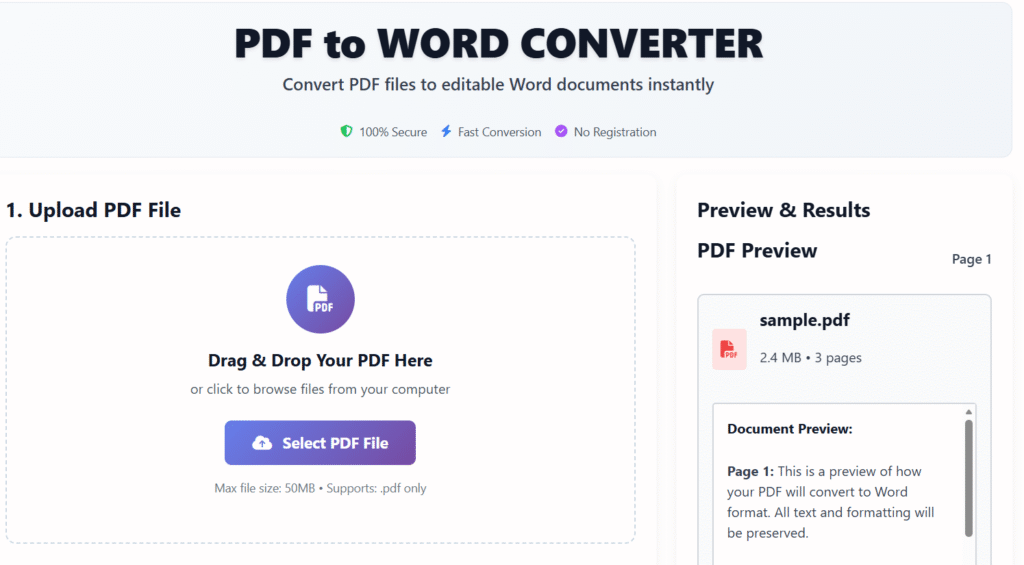
PDF to WORD CONVERTER
Convert PDF files to editable Word documents instantly
1. Upload PDF File
Drag & Drop Your PDF Here
or click to browse files from your computer
Max file size: 50MB • Supports: .pdf only
document.pdf
2.4 MB2. Conversion Settings
Output Format
Choose Word document format
Conversion Quality
Set conversion quality level
Converting Your Document
Converting PDF to Word…
Your document is being processed. Please wait…
Want to test first? Try with a sample PDF
Preview & Results
PDF Preview
Page 1sample.pdf
2.4 MB • 3 pages
Document Preview:
Page 1: This is a preview of how your PDF will convert to Word format. All text and formatting will be preserved.
Page 2: Images, tables, and formatting will be accurately converted to editable Word content.
Page 3: The converted document will maintain original layout and structure.
Converted Word File
READYconverted-document.docx
Word Document • 245 KB
Conversion Details
PDF to Word Converter online free – Convert PDFs into Editable Word Files Instantly
Last updated: Dec 2025
A PDF to Word Converter is an essential online tool for users who want to edit, reuse, or repurpose content locked inside PDF files. At Regalia360, our advanced converter allows you to transform PDF documents into fully editable Microsoft Word files within seconds—without compromising formatting, layout, or text quality.
Whether you’re a student, professional, or business owner, our tool is designed for speed, accuracy, and simplicity.
Why Use a PDF to Word Converter online free?
PDF files are great for sharing, but editing them can be frustrating. That’s where a reliable PDF to Word Converter becomes valuable.
Key Reasons to Convert PDF to Word:
- Edit text easily without specialized software
- Reuse content for reports, blogs, or presentations
- Save time compared to manual retyping
- Maintain original formatting and structure
- Access documents across devices
Our tool supports both standard and complex PDFs, ensuring smooth conversion every time.
How to Use this tool :
Using our PDF to Word Converter is straightforward and requires no technical knowledge.
Step-by-Step Guide:
- Visit regalia360.com/pdf-to-word-converter
- Upload your PDF file securely
- Click the “Convert” button
- Wait a few seconds for processing
- Download your editable Word document
No registration, no installation, and no hidden charges.
Benefits
Our tool stands out due to its performance, security, and user-centric design.
Top Benefits:
- High Accuracy Conversion – Preserves fonts, images, and layouts
- Fast Processing Speed – Convert large PDFs in seconds
- Secure & Private – Files are automatically deleted after conversion
- Cross-Device Compatibility – Works on mobile, tablet, and desktop
- AdSense-Friendly Interface – Clean, fast-loading, and user-focused
This makes it ideal for professionals who value efficiency and reliability.
Who Can Use This Tool?
The PDF to Word Converter is suitable for a wide range of users:
- Students editing assignments
- Teachers modifying study material
- Business professionals updating contracts
- Freelancers repurposing documents
- Bloggers extracting content from PDFs
Anyone who needs editable documents can benefit instantly.
common mistakes when using a PDF to Word converter online free:
- Uploading low-quality or scanned PDFs without OCR support.
- Ignoring formatting checks after conversion.
- Using unsecure or unknown online tools that may compromise privacy.
- Trying to convert extremely large files without checking size limits.
- Assuming all content will convert perfectly, especially images, tables, and special fonts.
- Not saving a backup of the original PDF before conversion.
- Multiple repeated conversions, which can degrade document quality.
⭐ FAQs
1. What is the best free PDF to Word converter?
Some of the best free PDF to Word converters include Smallpdf, Adobe Acrobat Online, iLovePDF, and HiPDF. These tools offer fast conversion, high formatting accuracy, and easy file downloads without requiring software installation. Many of them also support OCR for scanned documents.
2. How does a PDF to Word tool work?
A PDF to Word converter extracts the content from your PDF—including text, images, tables, and formatting—and transforms it into an editable Word document. Advanced tools use OCR technology to convert scanned PDFs into searchable, editable text.
3. Is PDF to Word conversion safe?
Most reputable PDF to Word tools are safe. They use secure encryption during upload and automatically delete files from their servers after processing. For sensitive documents, you can use offline converters for extra security.
4. Why should I convert a PDF to Word?
Converting it allows you to edit text, update formatting, rewrite content, correct mistakes, and reuse information without manually retyping the document. It's essential for students, professionals, and businesses.
5. Will the formatting remain the same after converting PDF to Word?
Quality converters preserve original formatting, including fonts, spacing, images, and layout structure. However, scanned PDFs depend on OCR accuracy, which may require manual adjustments.
Why Choose Regalia360?
Regalia360 is committed to delivering fast, reliable, and user-friendly online tools. Our PDF to Word Converter online free is designed to save time, increase productivity, and deliver professional-quality results every time.