
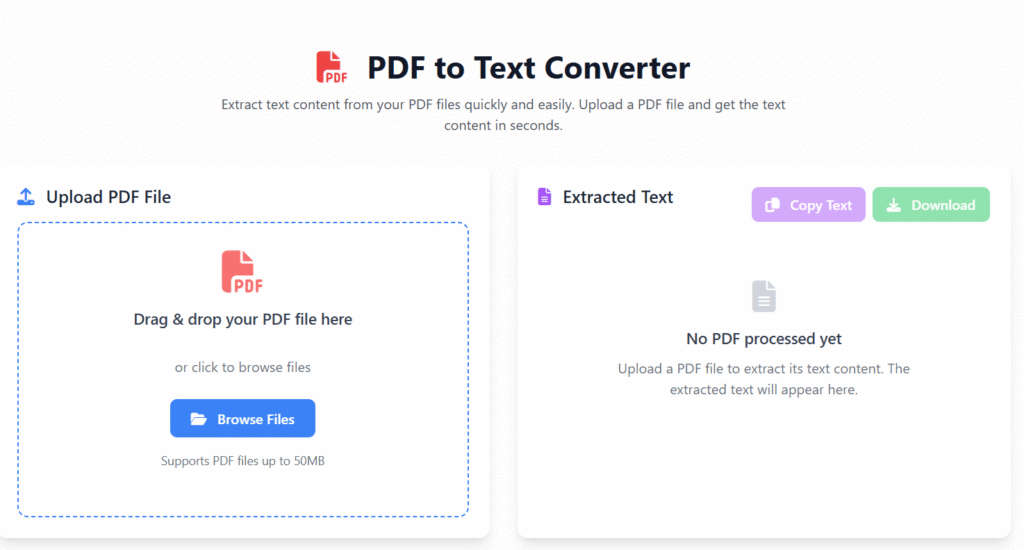
PDF to Text Converter
Extract text content from your PDF files quickly and easily. Upload a PDF file and get the text content in seconds.
Upload PDF File
Drag & drop your PDF file here
or click to browse files
Supports PDF files up to 50MB
Extracted Text
Extracting text from PDF…
0 characters extracted
No PDF processed yet
Upload a PDF file to extract its text content. The extracted text will appear here.
📄 PDF to Text Converter Online – Fast & Free Tool (2025)
Last updated: Dec 2025
PDF to Text Converter Online is a simple and reliable tool that helps you extract readable text from PDF files instantly. If you’ve ever struggled to copy text from PDFs for editing, studying, or work, this tool is built exactly for you.
At Regalia360, we focus on creating practical, easy-to-use online tools that solve real problems. Our PDF to Text Converter works directly in your browser, requires no installation, and respects your privacy.
👉 Upload your PDF and convert it to text in seconds.
🔍 What Is a PDF to Text Converter?
A tool allows you to extract text content from PDF documents and convert it into a plain text (.TXT) format.
This makes it easy to:
- Edit the content
- Copy text accurately
- Use PDF content for assignments, blogs, or reports
- Analyze text without formatting issues
Many PDFs are difficult to copy from, especially scanned or protected files. Our tool solves this problem efficiently.
🎯 Who Should Use This Tool?
This tool is especially useful for users in India, including:
- 🎓 Students copying notes from eBooks or PDFs
- 👨💼 Office professionals extracting text from reports
- 🧑💻 Content writers & bloggers researching PDFs
- 🧾 Small business owners working with invoices
- ⚖️ Legal & academic users handling long documents
If you regularly work with PDFs, this tool will save you time and effort.
⚙️ How to Use this tool :
Using the tool is quick and beginner friendly.
📝 Step-by-Step Guide
- Click the Upload PDF button
- Select a PDF file from your device
- Press Convert to Text
- Download the extracted text file
⏱️ The process usually takes just a few seconds.
👉 Upload your PDF now and get editable text instantly!
✨ Key Features
Our tool is designed for simplicity, speed, and accuracy.
🔹 Main Features
- ✅ Accurate text extraction
- ✅ Works with large PDF files
- ✅ Supports scanned PDFs (OCR)
- ✅ No registration or login required
- ✅ Fully online – works on mobile & desktop
- ✅ Free to use
Each feature is built to meet real user needs without unnecessary complexity.
common mistakes when using this tool
- Ignoring formatting loss – Tables, columns, and layouts often break.
- Not checking OCR accuracy – Scanned PDFs may produce errors if OCR is weak.
- Overlooking hidden text – Headers, footers, or watermarks can mix into content.
- Assuming all PDFs are text-based – Some are images and need OCR first.
- Not cleaning output – Extra line breaks, symbols, or encoding issues are common.
- Language mismatch – Wrong language settings reduce accuracy.
- Ignoring fonts/special characters – Mathematical symbols or accents may break.
- Not validating results – Always review the extracted text for accuracy.
🚀 Benefits
Converting it offers many practical advantages:
📌 Why It’s Useful
- Edit content easily
- Copy text without formatting issues
- Save time on manual typing
- Reuse PDF content for documents or blogs
- Improve productivity for study or work
This is especially helpful for students and professionals managing multiple documents daily.
🔐 Privacy & Data Security You Can Trust
We understand that PDFs may contain sensitive information.
That’s why Regalia360 follows strict privacy practices:
- 🔒 Files are processed securely
- 🗑️ Files are automatically deleted after conversion
- 🚫 No data is shared or stored
- 🔐 HTTPS-protected environment
You can use this tool with confidence.
📱 Works on All Devices
Our tool is optimized for:
- Android smartphones
- iPhones & iPads
- Laptops & desktops
- Tablets
No app download needed. Just open the page in your browser and convert.
🇮🇳 Built for Indian Users
This tool is designed keeping Indian users in mind:
- Works well on low-to-medium internet speeds
- Mobile-friendly for students using smartphones
- Useful for school, college, office, and government documents
- Supports common PDF formats used in India
Whether you’re preparing for exams or managing office files, this tool fits your needs.
🆚 Why Choose Regalia360?
There are many PDF tools online, but Regalia360 stands out because we focus on:
- 🧠 Expertise – Well-built document tools
- 📈 Accuracy – Clean and readable text output
- 🤝 Trust – Privacy-first approach
- ⚡ Performance – Fast and reliable conversion
We aim to deliver tools that are genuinely useful — not overloaded with ads or distractions.
📂 Common Use Cases
Here’s how people commonly use our PDF to Text Converter:
- Extract notes from textbooks
- Convert research papers into text
- Copy content from official documents
- Prepare content for blogs or SEO research
- Analyze reports without formatting issues
👉 Try it once, and you’ll keep coming back.
❓ Frequently Asked Questions (FAQs)
Is this tool free?
Yes. The tool is completely free to use with no hidden charges.
Can I convert scanned PDFs?
Yes, OCR technology allows text extraction from scanned PDFs.
Is my data safe?
Absolutely. Files are processed securely and deleted automatically.
Do I need to sign up?
No signup or account is required.
Does it work on mobile?
Yes, it works smoothly on Android and iOS devices.
✅ Final Thoughts
If you’re looking for a simple, secure, and effective PDF to Text Regalia360 provides exactly what you need — without complexity or risk.
🎯 Upload your PDF, extract text instantly, and work smarter today.