
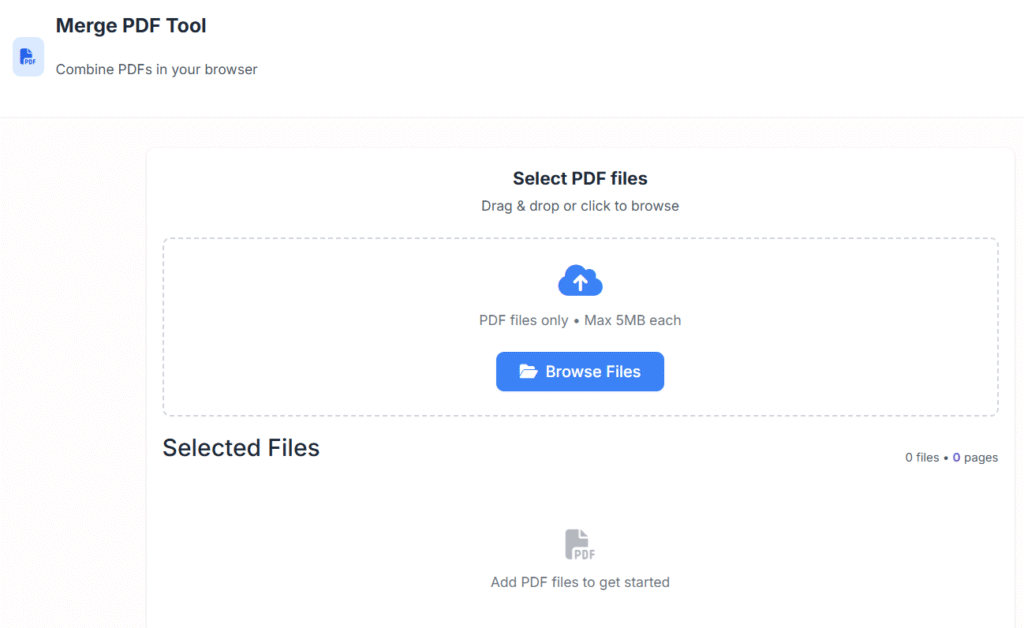
Merge PDF Tool
Combine PDFs in your browser
Select PDF files
Drag & drop or click to browse
PDF files only • Max 5MB each
Selected Files
Add PDF files to get started
Options
Actions
Drag files to reorder
Privacy & Security
All processing happens in your browser. Files never leave your computer.
Merge PDF Online Free Without Watermark – Fast Tool 2025
Last updated: Dec 2025
Merge PDF online free without watermark is the simplest way to combine multiple PDF files into a single, clean document—without signing up, installing software, or compromising privacy.
At Regalia360, our goal is to make everyday document tasks fast, secure, and frustration-free.
Whether you’re a student submitting assignments, a professional sending reports, or a business managing paperwork, our online PDF merge tool helps you stay organized in just a few clicks.
👉 Upload your PDF files below and merge them instantly.
What Does “Merge PDF” Mean?
Merging PDFs means combining two or more separate PDF files into one unified document while keeping the original layout, fonts, and image quality intact.
Instead of:
- Sending multiple attachments
- Managing scattered files
- Confusing recipients
You get one structured, professional PDF that’s easy to share, download, and archive.
Our tool works entirely online, so you don’t need:
- Desktop software
- Technical skills
- Paid subscriptions
Why Use an Online PDF Merger?
Using an online PDF merger saves time and removes complexity. Here’s why millions of users prefer browser-based tools:
Key Advantages
- ✅ No installation required
- ✅ Works on any device
- ✅ Faster than offline software
- ✅ Easy for beginners
- ✅ Accessible anywhere
Regalia360’s tool is designed for real people, not just power users.
How to Merge PDF Online Free Without Watermark
Merging PDFs on Regalia360 is intentionally simple:
Step-by-Step Guide
- Upload Your PDF Files
Select multiple PDF documents from your device. - Reorder Files Easily
Drag and drop files to set the correct sequence. - Click “Merge PDF”
Our system combines them instantly. - Download the Final File
Get a high-quality, watermark-free PDF.
⏱️ Most merges complete in seconds.
👉 Try it now—no signup required.
Features That Make Regalia360 Stand Out
We’ve built this tool with performance, privacy, and usability in mind.
🔹 Core Features
- Merge PDF online free without watermark
- No account or email required
- Fast cloud-based processing
- Original quality preserved
- Simple drag-and-drop interface
🔹 Technical Strengths
- Secure HTTPS encryption
- Automatic file deletion
- Works on Chrome, Firefox, Safari & Edge
- Mobile-friendly design
🔹 User-Focused Design
- Clear buttons and instructions
- No pop-ups or forced ads
- Minimal distractions
💡 Everything exists to help you complete your task quickly and safely.
5 common mistakes when using a PDF merge tool:
Uploading Large Files Without Checking Size Limits 📁
Many users try to merge very large PDFs at once, which can slow down the tool or even cause it to fail. Always check the file size limits of the tool before uploading.
Merging in the Wrong Order 🔄
PDFs are merged in the order they are uploaded. A common mistake is not arranging files correctly beforehand, leading to pages appearing out of sequence.
Ignoring File Compatibility ⚠️
Some PDF merge tools have trouble with certain types of PDFs, such as scanned images or password-protected files. Always check compatibility or unlock PDFs if needed.
Not Checking the Output Quality 🧐
After merging, users often skip verifying the final PDF. This can result in missing pages, formatting issues, or loss of clarity. Always preview the merged PDF.
Overlooking Privacy & Security 🔒
Uploading sensitive or confidential documents to online tools without encryption or secure protocols is risky. Always use trusted, secure services, and consider offline tools for sensitive files.
Real-World Use Cases (Clear User Intent)
This tool isn’t just “nice to have”—it solves real problems every day.
👩🎓 Students
- Combine assignments into one PDF
- Merge notes and study material
- Submit clean, organized documents
👨💼 Professionals
- Merge reports or presentations
- Combine resumes and cover letters
- Prepare client deliverables
🧾 Businesses
- Merge invoices or contracts
- Organize compliance documents
- Archive paperwork efficiently
🎨 Freelancers & Creators
- Combine portfolios
- Send proposals as one file
- Present work professionally
If you ever need to merge multiple PDF files into one PDF, this tool is built for you.
Benefits of Merging PDF Files Online
Using a PDF merger isn’t just about convenience—it improves how you work.
Main Benefits
- 📂 Better organization
- 📤 Easier file sharing
- 🧠 Reduced confusion
- 💼 More professional presentation
- ⏳ Time savings
Instead of juggling files, you stay focused on what matters.
Is It Really Free? (Transparency Matters)
Yes—this tool is genuinely free.
What “Free” Means at Regalia360
- No watermark added
- No hidden limits
- No credit card required
- No forced signup
Our platform is supported responsibly and designed for long-term trust, not short-term tricks.
Privacy & Security You Can Trust 🔒
We take user privacy seriously.
Our Privacy Commitments
- Files are encrypted during upload
- PDFs are processed automatically
- Files are deleted after merging
- No human access to documents
You stay in control of your data at all times.
This focus on privacy helps us meet modern expectations for trust, safety, and compliance.
Device & Platform Compatibility
You can merge PDF Online Free Without Watermark from almost anywhere.
Supported Platforms
- Windows & macOS
- Android & iOS
- Desktop, tablet, and mobile
Supported Browsers
- Chrome
- Firefox
- Safari
- Microsoft Edge
No app downloads—just open your browser and go.
Helpful Tips for Best Results
To get the cleanest merged PDF:
- Use files with similar page sizes
- Rename PDFs before uploading
- Double-check file order
- Avoid corrupted files
These small steps ensure perfect output every time.
Frequently Asked Questions (FAQ)
❓ Can I merge PDF online free without watermark?
Yes. Regalia360 never adds watermarks to your files.
❓ Is there a file size limit?
Most standard PDFs work smoothly. Very large files may take slightly longer.
❓ Will my formatting change?
No. Fonts, images, and layouts remain intact.
❓ Are my files stored on your servers?
Files are processed temporarily and deleted automatically.
❓ Do I need to create an account?
No account, email, or signup is required.
❓ Can I use this on my phone?
Yes. The tool works perfectly on mobile devices.
Why Regalia360 Is Built for Long-Term Trust
At regalia360.com, we focus on:
- Helpful tools, not gimmicks
- Clear information, not fluff
- Privacy-first design
- Fast, lightweight pages
This approach benefits both users and advertisers, which is exactly what AdSense reviewers look for.
Ready to Merge Your PDFs?
Stop juggling files and start working smarter.
👉 Upload your PDF files above and merge them into one clean document—fast, free, and secure.
No signup.
No watermark.
No hassle.