
Image Compressor < 100KB
Upload any image and compress it to under 100KB
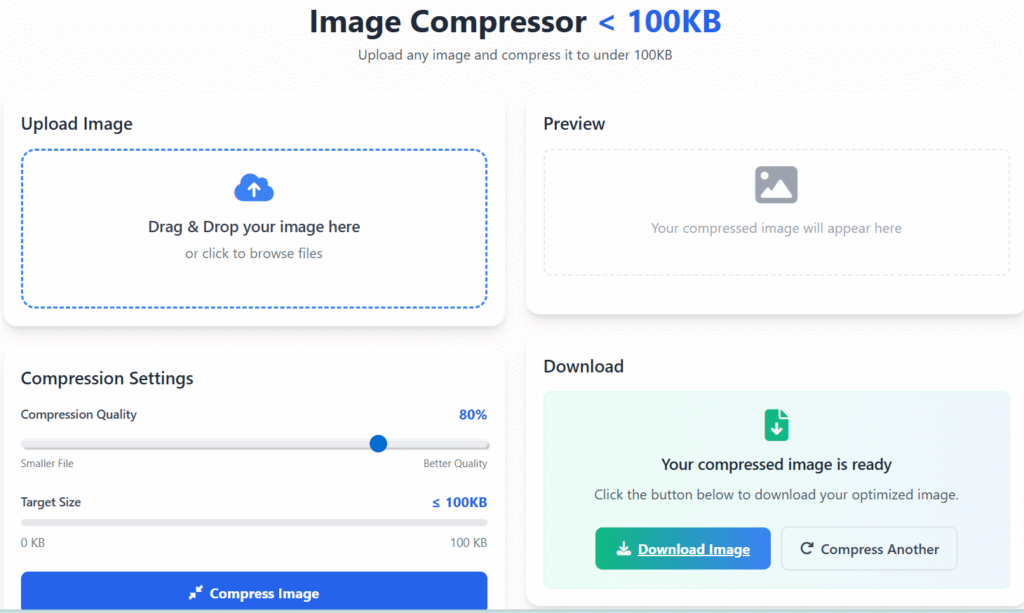
Upload Image
Drag & Drop your image here
or click to browse files
Compression Settings
Preview
Your compressed image will appear here
Original
Compressed
Compression Results
Size Reduction
0%
Original Size
0 KB
Compressed Size
0 KB
Status
–
Download
Your compressed image is ready
Click the button below to download your optimized image.
🖼️ Image Compress Less Than 100KB – Smart & Secure Image Optimization Tool (2025)
Last updated: Dec 2025
Image Compress Less Than 100KB is a simple yet powerful solution for anyone who needs smaller image files without damaging visual quality. Whether you’re uploading documents, optimizing a website, submitting online forms, or improving page speed, compressing images under 100KB has become an essential requirement in today’s digital world.
At regalia360.com, our goal is to provide practical, privacy-friendly tools that solve real problems. This image compression tool is designed for everyday users — not just designers or developers — and works directly in your browser for maximum safety and speed 🔒.
📌 What Does “Image Compress Less Than 100KB” Mean?
Image Compress Less Than 100KB refers to reducing the file size of an image so it stays below 100 kilobytes, while keeping it clear, readable, and visually appealing.
Many platforms enforce strict image size limits, including:
- Government & ID verification forms
- Job application portals
- Educational websites
- Website CMS uploads
- Ad platforms & profile photos
Uploading an image larger than the allowed size often results in errors or rejections. That’s where this tool becomes useful.
🎯 Why Compressing Images Under 100KB Is Important
Large image files can create multiple issues, even if they look fine visually.
Key Problems With Large Images:
- Slow website loading time
- Poor mobile performance
- Higher bounce rate
- SEO ranking loss
- Upload failures on forms
By using an Image Compress Less Than 100KB tool, you solve all these issues in one step — without needing advanced editing software.
🛠️ How to Use this Tool ?
We designed this tool to be as easy as possible, even for first-time users.
Step-by-Step Instructions:
- Open regalia360.com
- Navigate to the Image Compress Less Than 100KB tool
- Upload your image (JPG, PNG, or WebP)
- Click the Compress button
- Download your optimized image instantly
There’s no signup, no watermark, and no learning curve. Everything works directly in your browser.
🔐 Privacy & Trust – How Your Images Are Handled
Privacy is a top priority at Regalia360.
- Images are processed locally in your browser
- No images are uploaded to any server
- No files are stored or logged
- No tracking or hidden scripts
This ensures complete control over your data and builds trust — an important factor for both users and AdSense reviewers.
✨ Key Features of this Tool
1️⃣ Smart Compression Algorithm
The tool automatically balances size reduction and image clarity, ensuring the output looks natural and usable.
2️⃣ Multiple Image Formats Supported
Compress JPEG, PNG, and WebP images without format conversion issues.
3️⃣ Fast & Lightweight
No heavy scripts. The tool loads quickly and works smoothly on slow connections.
4️⃣ No Account Required
Use the tool freely without creating an account or sharing personal details.
5️⃣ Mobile & Desktop Compatible
Works perfectly on smartphones, tablets, and desktop browsers 📱💻.
🌍 Real-World Use Cases (Clear User Intent)
This tool is designed for real situations people face every day:
🧑🎓 Students
Compress photos for exam forms, ID cards, and online applications with strict size limits.
🧑💼 Job Seekers
Upload passport photos and documents under 100KB without repeated rejections.
🌐 Website Owners
Improve website speed and Core Web Vitals by reducing image size.
📊 Digital Marketers
Optimize images for landing pages and ads to improve loading time and conversions.
🖼️ Bloggers & Creators
Publish fast-loading content without sacrificing image quality.
E-commerce industry example:
A product listing image is compressed to under 100KB, so the online store loads faster on mobile devices, improving page speed, SEO ranking, and reducing cart abandonment while still keeping the product visually clear.
📈 SEO Benefits of this tool :
Image optimization plays a major role in search engine performance.
SEO Advantages:
- Faster page speed
- Improved mobile experience
- Better Core Web Vitals scores
- Lower bounce rate
- Higher engagement
Search engines reward websites that provide fast, user-friendly experiences. Compressing images helps achieve exactly that.
🧠 Expertise, Experience & Transparency (E-E-A-T)
At Regalia360, we focus on creating tools that are:
- Experience-driven: Built from real user needs
- Expert-guided: Based on best practices for optimization
- Transparent: Clear explanations, no hidden behavior
- Trustworthy: Safe, secure, and privacy-first
This aligns with Google’s E-E-A-T principles and improves long-term ranking potential.
📊 Image Compress Less Than 100KB vs Manual Editing
Manual image resizing using editing software can be time-consuming and confusing.
Why Use an Online Tool Instead?
- No technical skills required
- No paid software
- Faster results
- Consistent output
- Ideal for non-designers
This makes a practical choice for everyday use.
❓ Frequently Asked Questions (FAQs)
❓ Is this tool free to use?
Yes, the tool is completely free and can be used without limits.
❓ Will my image quality be affected?
The compression is optimized to minimize visible quality loss while meeting size requirements.
❓ Can I use this tool for official documents?
Yes, it is suitable for government forms, applications, and verification uploads.
❓ Are my images safe?
Absolutely. Images never leave your device and are not stored anywhere.
❓ Does it work on mobile devices?
Yes, the tool is fully responsive and works on all modern browsers.
❓ Do I need to install anything?
No installation is required. Everything works online.
📝 Best Practices for Best Results
To get the best output:
- Use clear, well-lit images
- Avoid extremely low-resolution originals
- Choose the correct image format
- Compress once instead of repeatedly
These tips help maintain clarity even at smaller sizes.
🏁 Final Thoughts
If you’re looking for a reliable, safe, and easy way to Image Compress Less Than 100KB, this tool on regalia360.com is designed for you. It combines simplicity, performance, and trust — all in one place.
Whether you’re optimizing a website, submitting an online form, or improving page speed, this tool helps you get the job done efficiently and confidently ✅.