
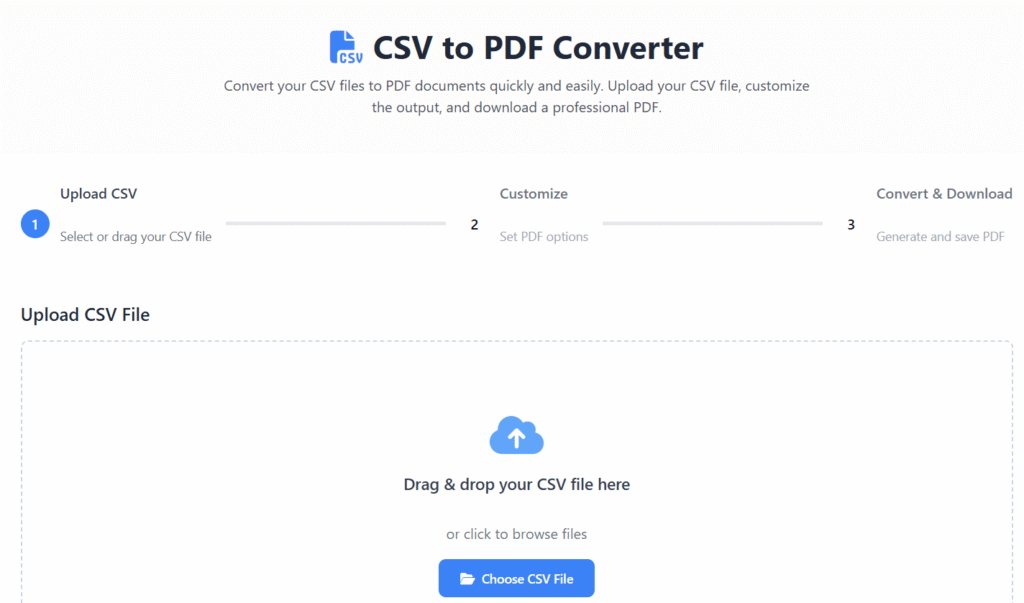
CSV to PDF Converter
Convert your CSV files to PDF documents quickly and easily. Upload your CSV file, customize the output, and download a professional PDF.
Upload CSV
Select or drag your CSV file
Customize
Set PDF options
Convert & Download
Generate and save PDF
Upload CSV File
Drag & drop your CSV file here
or click to browse files
Maximum file size: 5MB
Don’t have a CSV file? Try with our sample:
How to Use
1. Upload CSV
Drag & drop your CSV file or click to browse. You can also use the sample data to test the converter.
2. Customize PDF
Choose page size, orientation, font size, and other options to customize your PDF output.
3. Download PDF
Click the “Convert to PDF” button to generate and download your PDF file instantly.
CSV to PDF Converter Online – Fast, Secure & Free Tool (2025)
Last updated: Dec 2025
CSV to PDF converter online tools are essential when you want to turn raw spreadsheet data into professional, easy-to-share documents. Whether you are working with reports, datasets, invoices, or analytics files, converting CSV files into PDF format helps preserve layout, improve readability, and ensure compatibility across all devices.
At Regalia360, we provide a fast, reliable, and privacy-focused CSV to PDF conversion tool designed for real-world use cases in the USA and India. No sign-up. No watermark. Just clean and accurate results.
👉 Upload your CSV file below and convert it to PDF instantly.
What Is a CSV to PDF Converter Online?
A CSV to PDF converter online is a browser-based tool that transforms CSV (Comma-Separated Values) files into PDF documents without requiring software installation.
CSV files are excellent for storing structured data but are not ideal for sharing, printing, or presenting. PDFs solve this problem by offering:
- Fixed formatting
- Universal device compatibility
- Better visual structure
This makes CSV to PDF conversion perfect for business, education, and professional documentation.
Why Convert CSV Files to PDF?
CSV files often look unstructured when opened outside spreadsheet software. PDFs provide clarity, security, and consistency.
Key Reasons to Convert CSV to PDF
- 📄 Professional presentation for reports and records
- 🔒 Reduced risk of accidental edits
- 🌍 Universal accessibility across devices
- 🖨️ Print-ready formatting
- 📤 Easy sharing via email or messaging apps
For users in the USA and India, PDF is the most widely accepted document format for official and professional communication.
How to Use this tool ?
Converting your file takes only a few seconds.
Simple Steps
- Click the Upload CSV File button
- Select your CSV file from your device
- Let the tool process your data automatically
- Preview the converted document
- Download your PDF instantly
👉 No registration. No technical skills required.
Key Features of Our tool
Our tool is designed for speed, simplicity, and accuracy.
Core Features
- ✅ Free CSV to PDF converter online
- ⚡ Instant processing
- 🔐 Secure file handling
- 📊 Clean table formatting
- 📁 Supports large CSV files
- 🚫 No watermark on PDFs
- 📱 Mobile-friendly interface
- 🌐 Works on all modern browsers
Each feature is built to improve usability while maintaining performance and trust.
Real-World Use Cases
This CSV to PDF converter online is useful across multiple industries and professions.
Who Can Use This Tool?
- 📈 Business professionals creating reports
- 🎓 Students submitting assignments
- 🧮 Accountants exporting financial data
- 📊 Data analysts sharing insights
- 🛒 E-commerce sellers exporting order data
- 🏢 HR teams managing employee records
If you need a secure, readable, and shareable document, CSV to PDF is the ideal solution.
Benefits of Using Our Tool
Unlike basic converters, our tool focuses on quality and user experience.
Main Benefits
- ⭐ Better readability than raw CSV files
- 🔄 Consistent formatting across devices
- 🔐 Enhanced document security
- 📤 Quick sharing with clients or teams
- 🖨️ Perfect for printing and archiving
These benefits make it suitable for both personal and professional use.
Privacy, Security & Trust Signals (AdSense-Friendly)
User trust is a top priority at Regalia360.
Our Privacy Commitments
- 🔒 Files are processed securely
- 🗑️ Files are automatically deleted after conversion
- 🔐 HTTPS encryption enabled
- 🙅 No data collection or tracking
- 👤 No account or login required
This privacy-first approach aligns with Google AdSense policies and modern user expectations.
Why Choose Regalia360 for CSV to PDF Conversion?
Many online tools exist, but not all are optimized for trust and performance.
What Makes Us Different?
- 🚀 Fast-loading, lightweight tool
- 🎯 Built for real user needs
- 🧠 Clean and intuitive UI
- 📱 Fully responsive on mobile & desktop
- 🌎 Optimized for global users, including USA & India
Our goal is to provide high-value tools that users can rely on daily.
when NOT to use CSV to PDF
- When data needs to stay editable – PDF is static and hard to modify.
- When working with large datasets – PDFs become unreadable and slow.
- When data needs automation or processing – CSV is better for systems and analysis.
- When frequent updates are required – PDFs require regeneration each time.
- When interactive features are needed – Sorting, filtering, or formulas are lost.
- When precise data structure matters – PDFs don’t preserve raw data relationships.
SEO & Performance Best Practices
For best results, this page is designed to work seamlessly with:
- ⚡ Fast page loading
- 📱 Mobile-first design
- 🔍 Clear headings and structured content
- 📌 Internal links to related tools
- 🧾 FAQ schema support
These elements help Google understand the content and may improve visibility in search results.
Call to Action (CTA)
👉 Upload your CSV file now and convert it to a clean, professional PDF in seconds.
No sign-up. No watermark. Just instant results.
Frequently Asked Questions (FAQs)
Is this CSV to PDF free?
Yes, the tool is completely free with no hidden costs.
Can I convert large CSV files?
Yes, our converter supports large CSV files while maintaining formatting accuracy.
Is my data safe during conversion?
Absolutely. Files are processed securely and deleted automatically.
Do I need to install any software?
No installation is required. Everything works directly in your browser.
Can I use this tool on mobile devices?
Yes, the tool is fully responsive and works smoothly on smartphones and tablets.
Final Thoughts
If you need a CSV to PDF converter that is fast, secure, and easy to use, Regalia360 provides a trusted solution designed for modern users and search engines.
👉 Start converting your CSV files to PDF now and experience effortless document conversion.