
In today’s digital-first world, images are everywhere. They make websites visually appealing, social media posts engaging, and emails more impactful. However, high-quality images often come with a downside—they can be large in file size, slowing down websites, consuming storage, and affecting user experience. This is where an image compressor becomes an essential tool for anyone dealing with digital images. In this guide, we will explore what image compressors are, how they work, the benefits they offer, and how to choose the right one for your needs.
What Is an Image Compressor?
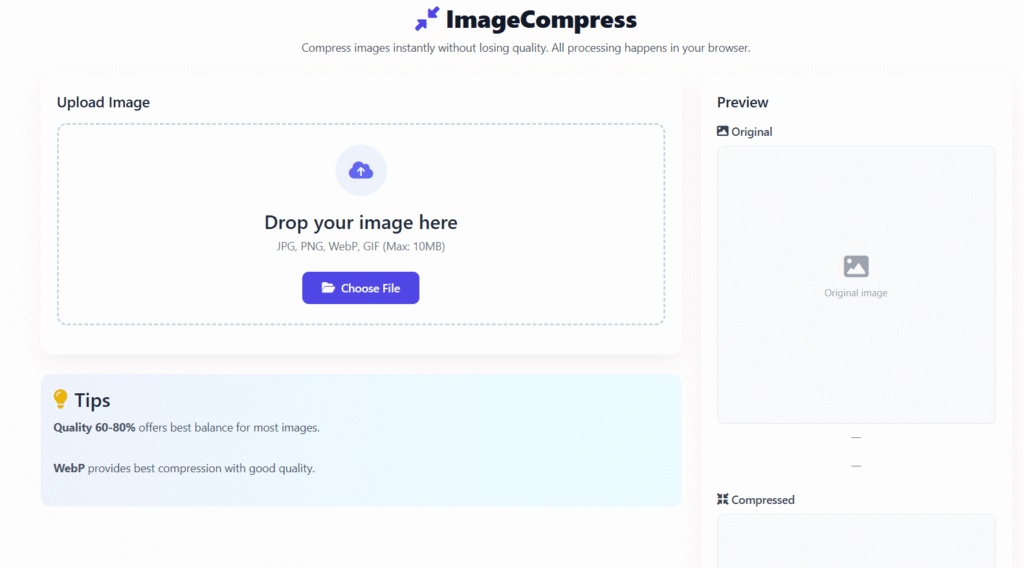
this tool is a tool designed to reduce the file size of an image without significantly compromising its visual quality. It works by removing unnecessary data, optimizing pixels, and simplifying color details while keeping the image visually similar to the original. By compressing images, websites load faster, storage usage is reduced, and overall digital performance improves.
these tools are widely used by website owners, developers, designers, and marketers. Whether you’re uploading images to a blog, sending photos through email, or creating visuals for an app, image compression ensures efficiency without sacrificing appearance.
Types of Image Compression
Understanding the types of image compression is important for choosing the right method for your project.
Lossy Compression
Lossy compression reduces file size by permanently removing some image data. While this might slightly affect image quality, advanced algorithms ensure the difference is often imperceptible to the human eye. Common formats that use lossy compression include JPEG and WebP. This method is ideal for web images, social media, and blogs where smaller file sizes are critical.
Pros:
- Significantly reduces file size
- Ideal for web use
- Fast loading times
Cons:
- Slight quality loss
- Not suitable for images requiring precise details (e.g., logos)
Lossless Compression
Lossless compression reduces image size without removing any visual data. The image quality remains exactly the same as the original. Formats like PNG, GIF, and SVG often use lossless compression. This approach is perfect for logos, icons, and images that require high accuracy.
Pros:
- No quality loss
- Perfect for graphics and icons
Cons:
- Less reduction in file size compared to lossy compression
- Larger files than lossy formats
Benefits of Using this tool
Using this tool provides numerous benefits for both users and businesses.
1. Faster Website Loading Speed
Large image files slow down website performance. Compressing images ensures faster page loads, reducing bounce rates and keeping visitors engaged.
2. Improved SEO Performance
Search engines favor websites that load quickly. Optimizing images with compression improves Core Web Vitals and positively impacts SEO rankings.
3. Reduced Storage and Bandwidth Usage
Smaller image files take up less storage and bandwidth, which is cost-effective, especially for high-traffic websites.
4. Enhanced User Experience
Optimized images provide smoother browsing experiences, particularly on mobile devices or slower internet connections.
How this tool Works
Image compressors use smart algorithms to reduce file size efficiently without compromising quality. Common techniques include:
- Removing metadata: Extra data like camera settings and location can be safely removed.
- Optimizing color palettes: Reducing unnecessary colors without noticeable changes.
- Pixel optimization: Adjusting pixel data to retain clarity with fewer bytes.
- Smart encoding: Formats like WebP use advanced compression methods to achieve smaller file sizes at high quality.
By combining these techniques, image compressors strike a balance between file size and visual quality.
Best Practices for Image Compression
To get the most out of image compression, follow these best practices:
Choose the Right Image Format
- JPEG: Best for photographs
- PNG: Ideal for images with transparency
- SVG: Perfect for vector graphics
- WebP: Optimized for modern web use with smaller sizes and high quality
Balance Quality and File Size
Avoid over-compressing images. A slight reduction in quality can drastically reduce file size without noticeable visual loss.
Compress Before Uploading
Always compress images before uploading them to websites or CMS platforms to ensure optimal performance.
Use Responsive Images
Serve different image sizes based on device screen resolution to improve performance on mobile and tablet devices.
Online vs. Offline Image Compressors
Both online and offline tools have advantages depending on your needs.
Online
Online compressors are convenient and require no installation. They are perfect for quick tasks and beginners. Limitations may include file size caps and the need for an internet connection.
Offline
Desktop software offers advanced features, batch processing, and greater control over compression. These are ideal for professionals managing large image volumes.
How to Choose the Best tool
Consider the following factors when selecting this :
- Compression quality: Ability to reduce file size without visible loss
- Supported formats: JPEG, PNG, WebP, GIF, SVG
- Speed and performance: Faster processing saves time
- Ease of use: Simple interface for beginners
- Free vs. paid: Paid tools often provide advanced control and batch options
Selecting the right tool ensures efficient image optimization tailored to your specific needs.
Practical Tips for Optimizing Images
- Use consistent dimensions: Resize images to the exact display size needed.
- Avoid unnecessary images: Only use visuals that add value to content.
- Leverage browser caching: Cached images reduce repeated loading times.
- Test image quality: Preview images after compression to ensure clarity is maintained.
- Automate with plugins: For CMS platforms like WordPress, use plugins for automatic image optimization.
Common Mistakes to Avoid
- Compressing images too aggressively, causing pixelation
- Ignoring file formats and using PNG for photographs unnecessarily
- Uploading uncompressed images and compressing them on the server
- Neglecting SEO attributes like alt text for images
Frequently Asked Questions (FAQs)
1. What is an image compressor?
An image compressor is a tool that reduces the file size of images while maintaining visual quality, improving website speed, and reducing storage usage.
2. Does this tool reduce quality?
It depends on the method. Lossless compression maintains original quality, while lossy compression removes some data to achieve smaller files with minimal visible differences.
3. Which image formats can be compressed?
Commonly supported formats include JPEG, PNG, WebP, GIF, and SVG. Advanced tools also support batch compression.
4. How does image compression improve SEO?
Compressed images load faster, enhancing Core Web Vitals and overall user experience. Search engines favor fast-loading sites, boosting rankings.
5. Is it safe to compress images online?
Yes, our reputable tool is safe. Trusted tools process images securely and often delete files after compression. Always choose reliable platforms to protect privacy.
Conclusion
this tool is indispensable for anyone handling digital visuals. By reducing file size, they enhance website speed, improve SEO, save storage, and provide a better user experience. Whether using lossy or lossless compression, online or offline tools, image optimization is a simple yet powerful strategy. Implementing these practices ensures your images are efficient, visually appealing, and web ready.
Start using an image compressor today and enjoy faster, better-performing visuals across all platforms.