
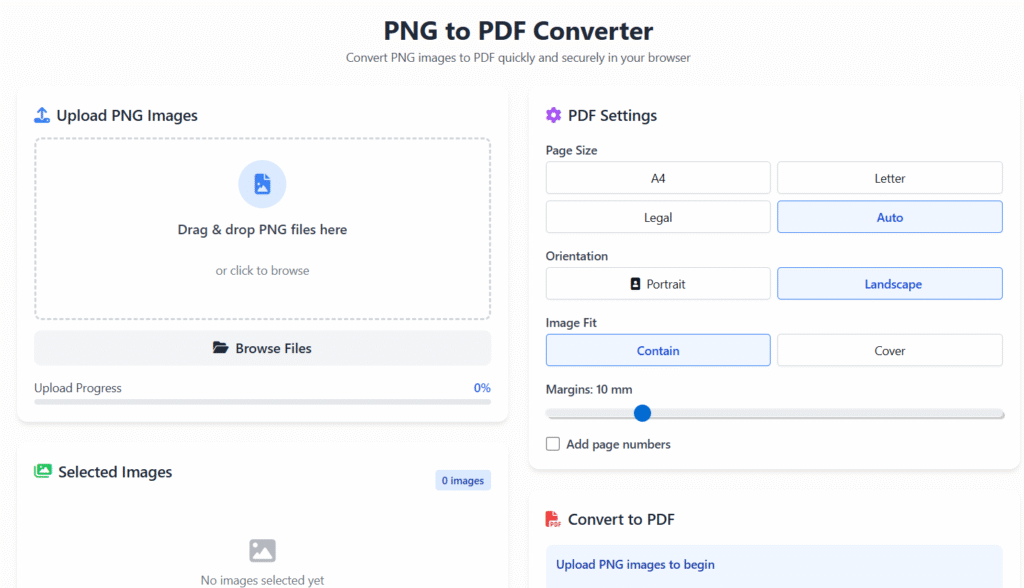
PNG to PDF Converter
Convert PNG images to PDF quickly and securely in your browser
Upload PNG Images
Drag & drop PNG files here
or click to browse
Selected Images
0 imagesNo images selected yet
PDF Settings
Convert to PDF
Upload PNG images to begin
Creating PDF…
PDF Created!
🧩 PNG to PDF Online Free Converter
Last updated: Dec 2025
PNG to PDF online free conversion helps you turn image files into professional, shareable PDF documents in seconds. Whether you’re preparing office files, school assignments, scanned documents, or design previews, Regalia360 offers a fast, secure, and easy-to-use solution—no signup required.
This tool is built for everyday users, not just tech experts. You can convert PNG images to PDF directly from your browser, on any device, without installing software.
👉 Upload your PNG files below and convert them to PDF instantly.
Why Convert PNG Images to PDF?
PNG images are excellent for quality and clarity, but PDFs are more practical for sharing, printing, and official use.
Here’s why millions of users prefer PDF format:
- PDFs look the same on all devices
- Easier to email and upload
- Accepted by schools, offices, and government portals
- Better for printing and archiving
- Professional document format
Using a PNG to PDF online free tool saves time and avoids compatibility issues.
What Is PNG to PDF Tool?
A PNG to PDF online free converter allows you to upload one or multiple PNG images and convert them into a single PDF file or separate PDFs.
Regalia360’s tool focuses on:
- Simplicity
- Speed
- Privacy
- High-quality output
It works smoothly for users in the USA, India, and worldwide, even on slower internet connections.
How to Use our Tool
Converting images to PDF takes only a few clicks.
Step-by-step process:
- Upload PNG images
Select files from your device or drag and drop them. - Arrange images (optional)
Reorder pages if you’re converting multiple PNG files. - Click Convert
The tool processes your files instantly. - Download your PDF
Save the PDF to your device and share it anywhere.
🟢 No login
🟢 No watermark
🟢 No installation
👉 Try it now and get your PDF in seconds.
Key Features of this tool
Our PNG to PDF tool is designed to be practical, fast, and reliable.
Main features:
- ✅ Free PNG to PDF conversion
- ✅ Unlimited image uploads
- ✅ High-quality PDF output
- ✅ No watermark added
- ✅ Works on mobile & desktop
- ✅ Supports bulk PNG files
- ✅ Secure file processing
- ✅ Simple, beginner-friendly interface
Each feature is designed to improve usability and reduce friction for real users.
Benefits of Using Regalia360 PNG to PDF Tool
This tool is built for people who want results without complexity.
What you gain:
- 📄 Professional documents for work, school, or business
- ⏱️ Time savings with fast processing
- 🔐 Privacy protection for sensitive files
- 🌍 Global access from any device
- 🧠 No learning curve—easy for everyone
Whether you’re converting a single image or multiple pages, the experience stays smooth and reliable.
when not to use PNG → PDF :
- When text needs to be selectable/searchable – PNGs are images, not text.
- For large documents – File sizes become unnecessarily large.
- When quality must scale – PNGs don’t scale well like vector PDFs.
- For accessibility needs – Screen readers can’t read image-based PDFs.
- When editing is required later – Image-based PDFs are hard to modify.
- For print with sharp text – Text may appear less crisp than vector content.
Real-Life Use Cases (USA & India)
Our free tool is used daily by people across different professions.
Common use cases include:
- Students submitting assignments or exam forms
- Teachers sharing notes and worksheets
- Office workers converting scanned documents
- Freelancers sending proposals or invoices
- Designers exporting image-based portfolios
- Small business owners preparing records
No matter your background, this tool adapts to your needs.
File Quality & Accuracy
Many users worry about image quality during conversion.
Regalia360 preserves:
- Image resolution
- Sharpness and clarity
- Proper page alignment
- Original orientation
Your PDF will look clean and professional—ready to share or print.
Security, Privacy & Trust
We take privacy seriously.
Our trust commitments:
- 🔒 Files are processed securely
- 🗑️ Files are automatically deleted after conversion
- 🚫 No data is stored or shared
- 🌐 HTTPS-protected environment
This makes the tool safe for personal, academic, and business documents.
PNG to PDF Online Free – Device & Browser Support
This tool works smoothly on:
- Windows & macOS
- Android & iPhone
- Chrome, Edge, Safari, Firefox
You don’t need a powerful device or fast internet—just upload and convert.
SEO, Performance & User Experience
Regalia360 is optimized for:
- Fast page loading
- Clean layout
- Mobile-first experience
- Clear calls-to-action
- Minimal distractions
This helps both users and search engines understand the page better.
Frequently Asked Questions (FAQs)
Is this tool really free?
Yes. The tool is completely free with no hidden charges.
Do I need to create an account?
No. You can convert files instantly without registration.
Can I convert multiple PNG files into one PDF?
Yes. You can upload multiple images and merge them into a single PDF.
Will my PDF have a watermark?
No. Your downloaded PDF will be clean and watermark-free.
Is it safe to upload sensitive documents?
Yes. Files are processed securely and deleted automatically.
Does it work on mobile phones?
Yes. The tool is fully mobile-friendly.
Ready to Convert PNG to PDF?
If you’re looking for a simple, reliable, and PNG to PDF online free solution, Regalia360 is built for you.
👉 Upload your PNG images now and get your PDF instantly.
No signup.
No watermark.
Just fast, secure conversion.