
PDF to WebP Converter
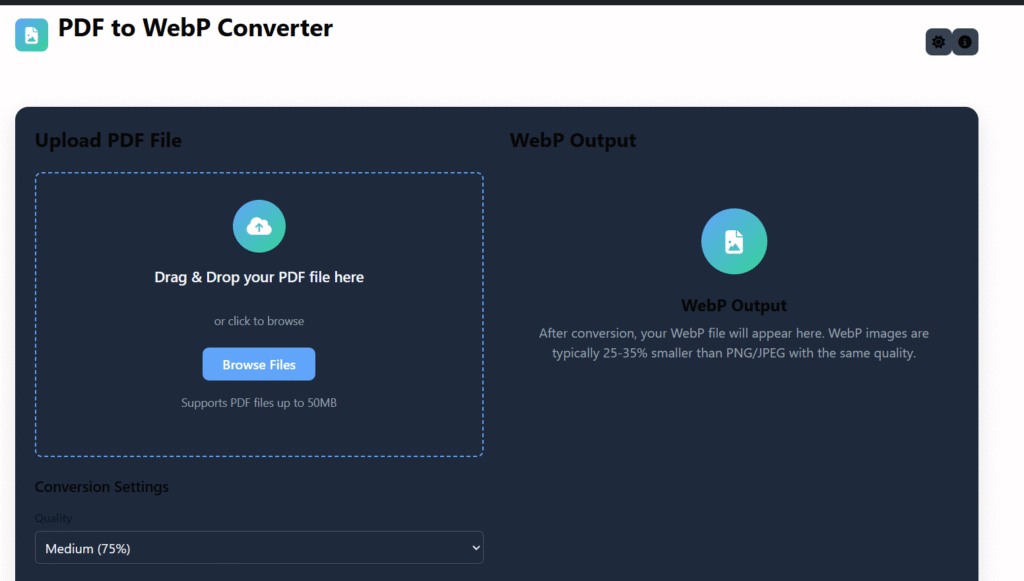
Upload PDF File
Drag & Drop your PDF file here
or click to browse
Supports PDF files up to 50MB
Conversion Settings
WebP Output
Preview
Preview of first page
Download Your WebP File
More Options
WebP Output
After conversion, your WebP file will appear here. WebP images are typically 25-35% smaller than PNG/JPEG with the same quality.
Fast Conversion
Convert PDF to WebP in seconds with our optimized conversion engine.
Secure & Private
Your files are processed locally and never uploaded to any server.
High Quality
Get WebP images with excellent compression and visual quality.
How to Convert PDF to WebP
Upload PDF
Drag & drop or click to upload your PDF file
Adjust Settings
Set quality and resolution preferences
Convert
Click convert to transform PDF to WebP
Download
Save your WebP image to your device
PDF to WebP Converter Online – Fast & Free Tool (2025)
Last updated: Dec 2025
PDF to WebP converter online is the easiest way to turn PDF pages into modern, lightweight WebP images that load faster and look great on any device.
If you manage a website, blog, or online project, converting PDFs to WebP images can significantly improve page speed, SEO performance, and user experience. This free tool on regalia360.com is designed for simplicity, privacy, and real-world usability.
👉 Upload your PDF below and convert it to WebP images instantly.
What Is a PDF to WebP Converter Online?
A PDF to WebP converter online is a browser-based tool that converts each page of a PDF file into WebP image format.
WebP is a next-generation image format developed to deliver:
- Smaller file sizes
- Better compression
- High visual quality
- Faster loading times
Instead of embedding heavy PDFs or large PNG images, you can use WebP images for web pages, mobile apps, landing pages, and blogs.
Why Converting PDF to WebP Matters Today
Modern websites are built around speed, accessibility, and performance. Traditional PDFs are not always ideal for web delivery.
Here’s why WebP is a smarter choice:
- ⚡ Faster loading pages
- 📉 Reduced file size (up to 30–70%)
- 📱 Better mobile performance
- 🔍 Improved SEO & Core Web Vitals
- 🌍 Optimized for Chrome, Edge, Safari & Firefox
Using this tool helps you future-proof your website.
Who Should Use this tool?
This tool is helpful for a wide range of users, including:
- Website owners & bloggers
- Digital marketers & SEO professionals
- Developers & UI designers
- E-commerce store owners
- Students & educators
- Agencies managing client websites
If you want faster pages and cleaner visuals, this tool is for you.
How to Use our tool
Using the tool is simple and beginner-friendly.
Step-by-step guide:
- 📤 Upload your PDF file
- ⚙️ The tool processes each page automatically
- 🖼️ PDF pages are converted into WebP images
- ⬇️ Download your WebP files instantly
No signup. No watermark. No learning curve.
👉 Upload your PDF now and get WebP images in seconds.
Key Features
This tool is designed with performance, security, and simplicity in mind.
🔹 Core Features:
- Free PDF to WebP conversion
- Supports multi-page PDF files
- High-quality WebP image output
- No watermark added
- No account required
- Works on desktop & mobile
- Fast cloud-based processing
Every feature focuses on real user needs, not gimmicks.
common mistakes when converting PDF to WebP
- Low resolution settings → results in blurry images
- Ignoring color profiles → colors look different after conversion
- Not optimizing compression → file size too large or quality loss
- Converting text-heavy PDFs to images unnecessarily → loses searchability
- Incorrect page selection → missing or extra pages converted
- Not checking transparency support → backgrounds may appear wrong
- Using incompatible tools → poor WebP support or broken output
Benefits of Using our tool
🚀 Performance Benefits
- Smaller images mean faster loading
- Better Lighthouse & PageSpeed scores
- Lower server and bandwidth usage
🔍 SEO Benefits
- Faster load time improves rankings
- Better Core Web Vitals metrics
- Optimized images for Google Search
👤 User Experience Benefits
- Smooth scrolling
- Faster visual rendering
- Cleaner page layout
Using a PDF to WebP converter online directly supports both users and search engines.
PDF to WebP vs Other Image Formats
Choosing the right image format makes a big difference.
| Format | File Size | Quality | Best For |
|---|---|---|---|
| PNG | Large | Very High | Graphics, logos |
| JPG | Medium | Medium | Photos |
| WebP | Small | High | Web & mobile |
That’s why PDF to WebP conversion is ideal for modern websites.
Real-World Use Cases (USA & India)
🌐 Website Optimization
Convert PDF brochures or reports into WebP images for faster landing pages.
🛒 E-commerce Stores
Use WebP images instead of PDF catalogs to improve mobile shopping speed.
🧑🏫 Education & Training
Share course PDFs as lightweight images for better accessibility.
📈 Digital Marketing
Improve ad landing page speed and conversion rates.
🧑💻 Development Projects
Optimize assets for performance-focused web apps.
Is PDF to WebP Converter Secure?
Yes. Your privacy is important.
🔐 Trust & Privacy Highlights:
- Files processed securely
- No permanent storage
- Automatic deletion after conversion
- No third-party sharing
This approach aligns with Google AdSense trust standards and user expectations.
Does This Tool Work on Mobile?
Absolutely.
- Works on Android & iOS
- Mobile-friendly interface
- No app installation required
Perfect for users in India and the USA who rely heavily on mobile devices.
(FAQs)
Is PDF to WebP converter online free?
Yes, the tool is completely free with no hidden costs.
Can I convert multiple pages at once?
Yes. Each page of the PDF is converted into a separate WebP image.
Will image quality be reduced?
No. The tool maintains excellent visual quality with efficient compression.
Do I need to create an account?
No registration or login is required.
Is WebP supported by browsers?
Yes. All modern browsers support WebP format.
Why Choose Regalia360 Tool?
- Clean and distraction-free interface
- Built for speed and simplicity
- Designed for SEO-focused websites
- Suitable for beginners and professionals
- Reliable multitool platform
We focus on useful tools, not unnecessary features.
Best Practices for Using WebP Images
To get the most benefit:
- Use WebP for blog images
- Compress images before upload
- Lazy-load images for long pages
- Combine with caching & CDN
- Keep image dimensions responsive
These steps amplify the benefits of PDF to WebP conversion.
Call to Action (CTA)
🚀 Upload your PDF now and convert it to WebP images instantly!
No signup. No watermark. Just fast results.
Final Thoughts
A PDF to WebP converter online is more than just a file conversion tool—it’s a performance upgrade for your website.
If you care about:
- Faster loading
- Better SEO
- Cleaner design
- Improved user experience
Then this tool on regalia360.com is the right choice.
👉 Try this tool now and optimize your content the smart way.