
PDF to PNG Converter
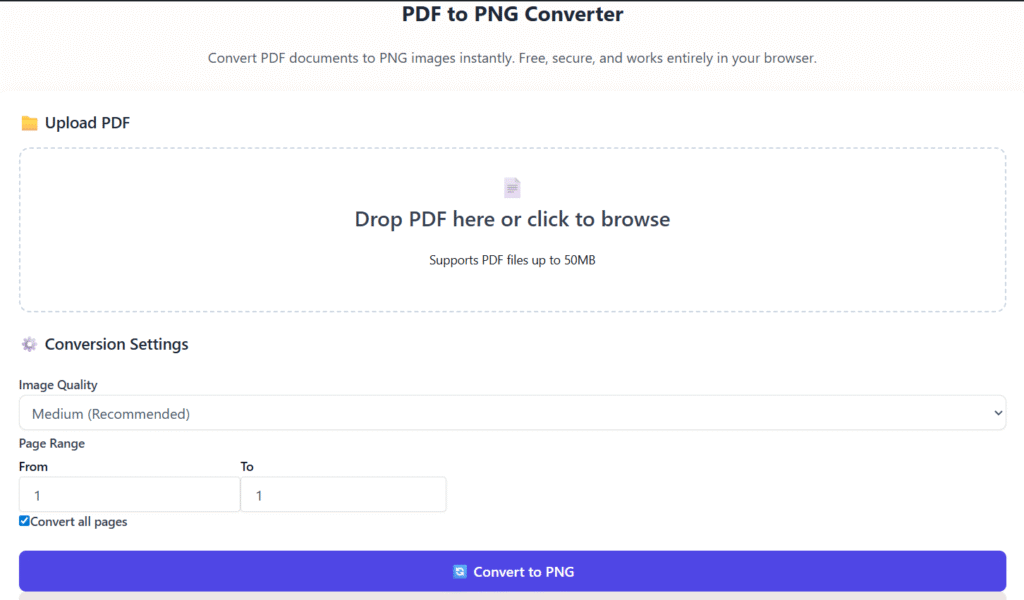
Convert PDF documents to PNG images instantly. Free, secure, and works entirely in your browser.
📁 Upload PDF
Drop PDF here or click to browse
Supports PDF files up to 50MB
⚙️ Conversion Settings
Converting PDF to PNG
Processing pages…
0% complete
👁️ PDF Preview
🖼️ Converted PNG Images
0 imagesClick on any image to download it individually.
No PDF uploaded yet
Upload a PDF file to get started.
PDF to PNG Online Free – Convert PDF Files into Images Instantly (2025)
Last updated: Dec 2025
PDF to PNG online free conversion allows you to turn PDF documents into high-quality PNG images directly in your browser. Whether you need images for design, presentations, websites, or sharing on social media, converting PDFs to PNG makes your content easier to use and more flexible.
At Regalia360, our goal is simple:
to provide fast, secure, and easy-to-use tools that solve real problems without unnecessary complexity.
👉 Upload your PDF below and convert it to PNG images in seconds.
What Is PDF to PNG Conversion?
PDF to PNG conversion is the process of turning each page of a PDF file into a separate PNG image.
PNG is a popular image format because it:
- Preserves visual quality
- Supports transparency
- Displays clearly on all screens
This makes PNG ideal for both professional and personal use.
Unlike screenshots or manual copying, a dedicated PDF to PNG online free tool keeps text sharp, layouts intact, and images clean.
Why Convert PDF to PNG Instead of Keeping PDF?
PDF files are great for documents, but they are not always practical.
Converting PDFs to PNG images helps when you want to:
- Share individual pages easily
- Use content in presentations or designs
- Upload images to websites or blogs
- Edit pages in graphic tools
- Extract visuals without quality loss
PNG images also load faster on many platforms and are supported everywhere.
How to Use this Tool
Using our tool is simple and beginner-friendly. No technical knowledge required.
Step-by-Step Instructions
- Upload your PDF file
Select a PDF from your device. - Start the conversion
Click the convert button to begin processing. - Wait a few seconds
Conversion usually takes only moments. - Download PNG images
Get individual images or a ZIP file.
📌 No sign-up, no watermark, no software installation.
Industry-Specific Example: Architecture
Architects often convert PDF blueprints into PNG images to embed them into presentations, client proposals, or 3D modeling software without losing visual clarity.
Key Features of Our Free Tool
Our tool is designed for everyday users as well as professionals.
🔹 High-Quality Image Output
- Maintains original resolution
- Sharp text and clean visuals
- No compression loss
🔹 Page-by-Page Conversion
- Each PDF page becomes a separate PNG image
- Easy to organize and reuse
🔹 Fast & Lightweight
- Optimized for speed
- Works smoothly even on slower connections
🔹 Works on All Devices
- Desktop, tablet, and mobile friendly
- Compatible with all modern browsers
🔹 Secure File Handling
- Files are processed securely
- Automatic deletion after conversion
Real-World Use Cases
This PDF to PNG online free tool is useful across many industries.
🎓 Students & Teachers
- Convert notes into images
- Share individual pages easily
- Upload assignments to platforms that accept images
🎨 Designers & Creators
- Extract visuals from PDFs
- Use images in Canva, Photoshop, or Figma
- Maintain design clarity
💼 Businesses & Professionals
- Convert reports into image assets
- Share documents in presentations
- Archive pages visually
📱 Social Media Managers
- Turn PDF content into shareable images
- Use PNGs for posts and stories
Benefits
Choosing the right converter saves time and effort.
✅ Saves Time
No need for screenshots or manual work.
✅ Improves Compatibility
PNG images work everywhere, without viewers or plugins.
✅ Enhances Visual Quality
Perfect for presentations, websites, and portfolios.
✅ Easy Editing
Edit PNG images in any image editor.
✅ Completely Free
No hidden costs or forced registrations.
Privacy & Trust – Your Files Are Safe
We understand that privacy matters.
When using our PDF to PNG online free tool:
- Your files are not stored permanently
- No human access to uploaded documents
- Files are deleted automatically after processing
- No tracking of document content
This tool is built for trust and transparency.
PDF to PNG vs Other Image Formats
You may wonder why PNG is often preferred.
PNG vs JPG
- PNG offers better text clarity
- JPG compresses images and may reduce quality
PNG vs WebP
- PNG has wider compatibility
- Easier to use across platforms
For documents, diagrams, and text-heavy pages, PNG is often the best choice.
Tips for Best Results
To get the highest quality PNG images:
- Upload clear, high-resolution PDFs
- Avoid scanned PDFs with heavy noise
- Use original files instead of compressed versions
If your PDF contains scanned pages, the tool will still convert them page-by-page.
Frequently Asked Questions (FAQs)
Is this PDF to PNG online free tool really free?
Yes. There are no fees, subscriptions, or usage limits.
Will my images have watermarks?
No. Converted PNG images are clean and watermark-free.
Can I convert multiple pages?
Yes. Each page is converted into a separate PNG image.
Does this work on mobile devices?
Yes. The tool is fully responsive and mobile-friendly.
Are my files stored?
No. Files are automatically removed after processing.
Why Use Regalia360 Tools?
At Regalia360, we focus on:
- Useful, problem-solving tools
- Clean and simple interfaces
- Fast loading pages
- Respect for user privacy
Our tools are designed to be helpful first, not confusing or bloated.
Ready to Convert Your PDF?
👉 Upload your PDF now and convert it to PNG images instantly.
No sign-up. No watermark. Just results.