
JSON Formatter & Validator
Format, validate, and beautify your JSON data with ease
Validation
Ready
Characters
0
Lines
0
Depth
0
Input JSON
Formatted Output
Formatter Controls
Sample JSON Structures
JSON Formatter Online – Free Tool to Format, Beautify & Validate JSON
Last updated: Dec 2025
JSON Formatter Online is a fast, simple, and reliable tool that helps you format, beautify, and validate JSON data in a clean and readable way. Whether you are a developer debugging an API, a tester verifying responses, or a student learning JSON, this tool is designed to make your work easier and more efficient.
At regalia360.com, we build lightweight, privacy-focused tools that solve real problems without unnecessary complexity. This JSON formatter is part of our growing collection of developer utilities created for everyday use.
What Is a JSON Formatter ?
A JSON Formatter Online tool takes raw or minified JSON and converts it into a properly structured, indented, and readable format. JSON data is commonly used in:
- REST APIs
- Web and mobile applications
- Configuration files
- Databases and data exchange
While machines can easily read compact JSON, humans cannot. Poorly formatted JSON makes it difficult to understand data structures, spot errors, or debug issues. A formatter solves this by organizing the data visually.
Why Formatting JSON Matters in Real-World Use
Formatting JSON is not just about appearance — it directly affects productivity and accuracy.
Common real-world scenarios:
- Debugging API responses during development
- Checking JSON returned from third-party services
- Reviewing configuration files before deployment
- Learning JSON structure as a beginner
- Cleaning data for documentation or sharing
Using a JSON Formatter Online reduces mistakes and helps you work faster with confidence.
How to Use JSON Formatter
Our tool is intentionally designed to be simple and intuitive.
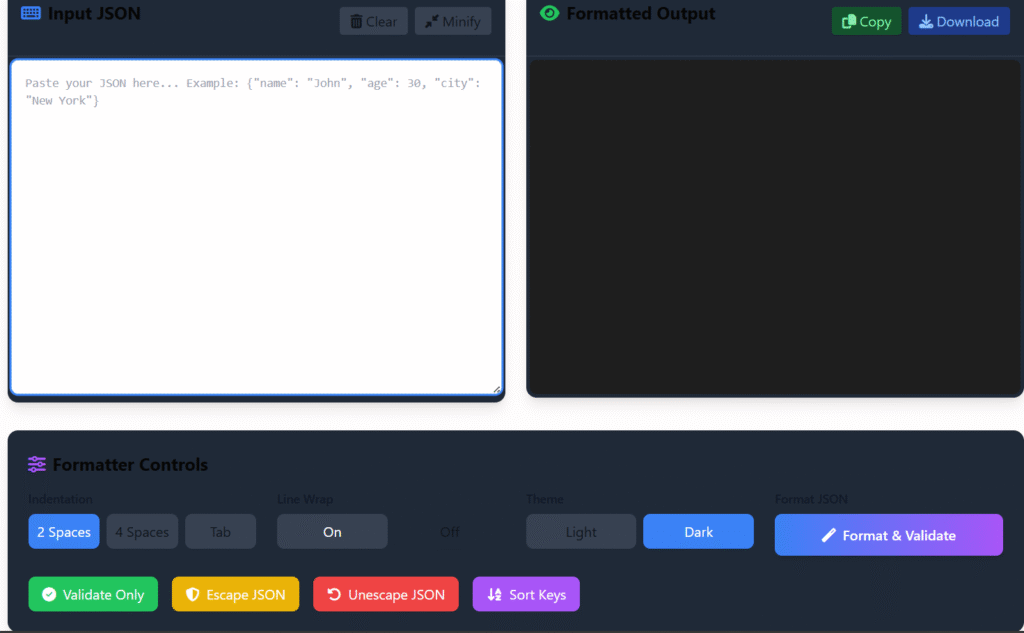
Step-by-Step Guide
- Paste your JSON data into the input field
- Click the Format JSON button
- Instantly view the formatted output
- Copy or download the result as needed
No registration, no setup, and no technical knowledge required.
common mistakes when using a JSON formatter
- Invalid JSON syntax (missing commas, quotes, or brackets)
- Using single quotes instead of double quotes
- Trailing commas (not allowed in standard JSON)
- Unescaped special characters (like newlines or quotes)
- Incorrect data types (e.g., strings instead of numbers)
- Duplicate keys (can cause unexpected behavior)
- Formatting non-JSON data (like JS objects or comments)
- Assuming formatting fixes logic errors (it only prettifies, doesn’t validate meaning)
Key Features of JSON Formatter
This tool focuses on the features users actually need — nothing more, nothing less.
Core Features
- Clean and readable JSON formatting
- Automatic indentation and alignment
- Syntax error detection
- Supports large and nested JSON files
- Works directly in your browser
- Free to use with no limits
Designed for Performance
The formatter loads quickly and runs smoothly even with large datasets, making it suitable for professional workflows as well as casual use.
JSON Validation: Catch Errors Early
One of the most useful aspects of a JSON Formatter is validation. Invalid JSON can break applications, APIs, or integrations.
The tool helps you:
- Detect missing commas or brackets
- Identify incorrect key-value pairs
- Validate structure before deployment
Catching errors early saves time and prevents costly bugs later.
Who Can Benefit From This Tool?
Developers
- Debug API responses faster
- Improve code readability
- Reduce development time
QA Testers
- Verify API outputs
- Ensure response consistency
- Validate test data
Data Analysts
- Understand complex JSON structures
- Clean and prepare datasets
- Review nested objects easily
Students & Beginners
- Learn JSON formatting visually
- Understand how data is structured
- Practice with real examples
This tool is built to support all experience levels.
Privacy & Security: Your Data Stays Yours 🔒
We understand that JSON data can contain sensitive information. That’s why privacy is a priority.
Our Privacy Promise
- No data storage
- No server-side saving
- No tracking of input content
- All formatting happens in your browser
This approach builds trust and ensures your data remains private at all times.
Why Choose regalia360.com?
There are many online tools, but not all are built with long-term value in mind.
What Makes Us Different
- Clean, distraction-free interface
- Fast loading pages (Core Web Vitals friendly)
- Useful tools without forced sign-ups
- Clear explanations and real use cases
- Designed for trust, usability, and growth
We focus on experience and usefulness, not gimmicks.
JSON Formatter vs Manual Formatting
Manually formatting JSON is time-consuming and error-prone. Using an automated tool offers clear advantages:
| Manual Formatting | JSON Formatter Online |
|---|---|
| Time-consuming | Instant results |
| Easy to make mistakes | Error detection |
| Hard to read | Clean structure |
| Not scalable | Handles large files |
The difference becomes obvious once you work with real data.
Best Practices When Working With JSON
To get the most out of any JSON Formatter Online, follow these tips:
- Always validate JSON before using it in production
- Keep consistent indentation for readability
- Avoid trailing commas
- Use meaningful key names
- Format JSON before sharing or documenting
These small habits improve collaboration and reduce errors.
Frequently Asked Questions (FAQs)
What does a JSON Formatter do?
It formats raw or minified JSON into a readable and structured format and helps identify syntax errors.
Is this tool free to use?
Yes. The tool is completely free and requires no registration.
Can I format large JSON files?
Yes. The tool supports large and deeply nested JSON structures.
Is my data saved or shared?
No. All processing happens locally in your browser to ensure privacy.
Does it work on mobile devices?
Yes. The tool is fully responsive and works on desktops, tablets, and smartphones.
Who should use a JSON formatter?
Developers, testers, analysts, students, and anyone working with JSON data can benefit.
Final Notes
JSON Formatter on regalia360.com is built to be fast, reliable, and trustworthy. It focuses on real-world needs, respects user privacy, and delivers value without unnecessary complexity.
If you regularly work with APIs or JSON data, this tool can become a dependable part of your workflow.
👉 Bookmark this page and explore more useful tools on regalia360.com.