
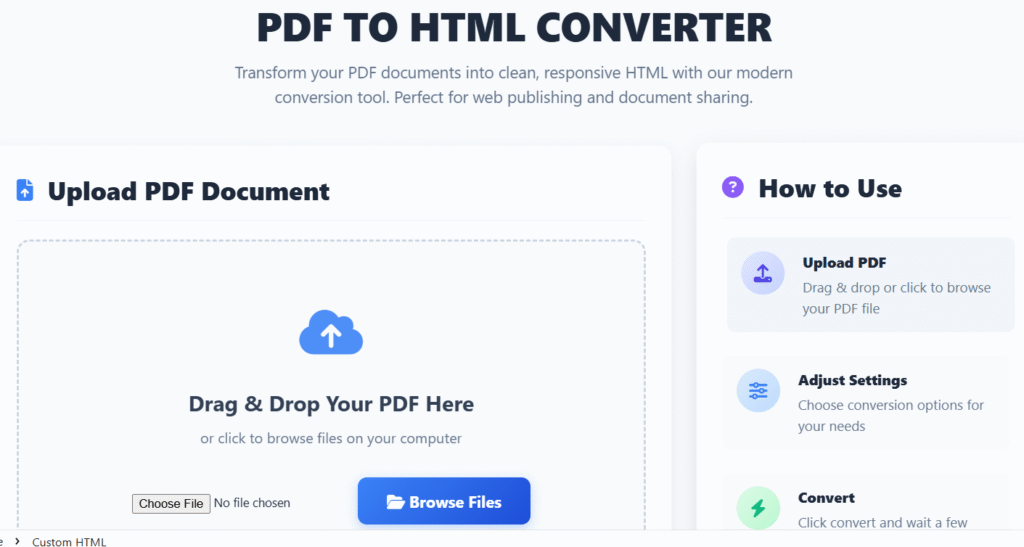
PDF TO HTML CONVERTER
Transform your PDF documents into clean, responsive HTML with our modern conversion tool. Perfect for web publishing and document sharing.
Upload PDF Document
Drag & Drop Your PDF Here
or click to browse files on your computer
Supports PDF files up to 50MB • Secure local processing
sample-document.pdf
Conversion Options
HTML Preview
Your converted HTML is ready! Copy or download to use it.
How to Use
-
Upload PDF
Drag & drop or click to browse your PDF file
-
Adjust Settings
Choose conversion options for your needs
-
Convert
Click convert and wait a few seconds
-
Download Result
Copy HTML code or download as .html file
Key Features
- Fully responsive HTML output
- Clean and semantic code
- Preserves images and formatting
- No file size limits
- Secure conversion (files not uploaded)
- 100% free to use
Secure & Private
Your documents are processed entirely in your browser. No files are ever uploaded to external servers, ensuring complete privacy and security.
🔢 7 Powerful PDF to HTML Converter Online Free for Fast Web Publishing
Last updated: Dec 2025
PDF to HTML Converter Online Free is the easiest way to turn static PDF documents into clean, responsive HTML pages you can publish on the web. Whether you’re a blogger, business owner, student, or developer, this tool helps you make your content more accessible, searchable, and user-friendly.
At regalia360, our goal is simple:
make online tools that are fast, private, and genuinely useful. This PDF to HTML tool is built with real users in mind—not bots, not spam, and not gimmicks.
👉 Upload your PDF below and convert it into HTML instantly.
📄 What Is a PDF to HTML Converter Online Free?
A PDF to HTML converter online free is a web-based tool that transforms PDF files into HTML code. Unlike PDFs, HTML files are:
- Easy to edit
- Mobile-friendly
- Faster to load
- Better for SEO
PDFs are great for printing, but they’re not ideal for websites. HTML, on the other hand, is designed for the web.
That’s why converting PDF to HTML is an important step if you want your content to perform well online.
🎯 Who Should Use This PDF to HTML Converter?
This tool is designed for real-world needs, including:
- 🧑💻 Website owners publishing PDF content as web pages
- ✍️ Bloggers repurposing guides or ebooks
- 🏢 Businesses sharing manuals, reports, or catalogs
- 🎓 Students & teachers converting notes into readable pages
- 🧾 Marketers improving SEO and page speed
If your PDF content matters, it should be visible, searchable, and accessible. That’s exactly what this tool helps you achieve.
🛠️ How to Convert PDF to HTML (Step-by-Step)
Using our PDF to HTML Converter Online Free is simple and beginner-friendly.
- 📤 Upload your PDF file
- 🔄 Click the “Convert to HTML” button
- ⏳ Wait a few seconds
- 📥 Download your HTML file
- 🌐 Publish it on your website
No registration. No email required. No technical knowledge needed.
👉 Upload your PDF now and get clean HTML instantly.
⚠️ Common Mistakes When Using a PDF to HTML Converter
- Uploading large PDF files without checking limits – May slow down or fail the conversion.
- Expecting perfect formatting in complex PDFs – Multi-column layouts, unusual fonts, or graphics may require manual adjustment.
- Ignoring mobile responsiveness – Converted HTML may not automatically fit all devices.
- Not optimizing HTML for SEO – Missing headings, meta tags, or alt text reduces search engine visibility.
- Using outdated browsers or devices – Older browsers may not support file uploads or tool features.
- Not saving backups – Overwriting the PDF without keeping an original copy can lead to data loss.
- Ignoring privacy and security – Uploading sensitive documents to untrusted tools can be risky.
✨ Key Features of Our PDF to HTML Converter
We focus on quality, speed, and reliability. Here’s what you get:
🔹 Accurate Layout Conversion
- Maintains text structure
- Preserves headings, paragraphs, and spacing
🔹 Image & Table Support
- Keeps embedded images intact
- Converts tables into readable HTML format
🔹 SEO-Friendly HTML Output
- Search engine readable content
- Better crawlability than PDFs
🔹 Fast & Lightweight
- Works in seconds
- Optimized for performance
🔹 100% Online Tool
- No software download
- Works on desktop, tablet, and mobile
🌟 Benefits of Converting PDF to HTML
Converting PDFs into HTML is not just a technical task—it delivers real benefits.
✅ Better Search Engine Visibility
HTML pages are indexed more effectively by Google than PDF files.
✅ Improved User Experience
HTML loads faster and adapts to different screen sizes.
✅ Easy Content Updates
Edit text or links directly without reconverting files.
✅ Increased Accessibility
Screen readers and assistive tools work better with HTML.
✅ Website Integration
HTML files integrate seamlessly with blogs, CMS platforms, and landing pages.
📈 Why PDF to HTML Is Important for SEO
PDFs can appear in search results, but they have limitations:
- Slower load times
- Poor mobile experience
- Limited internal linking
By converting PDFs into HTML pages, you allow search engines to:
- Understand your content better
- Index individual sections
- Rank your content for more keywords
Using a PDF to HTML Converter Online Free helps turn static documents into SEO-friendly web pages that actually perform.
🔐 Privacy, Security & Trust Signals
We take privacy seriously.
- 🔒 Files are processed securely
- 🗑️ Uploaded PDFs are automatically deleted
- ❌ No tracking of document content
- 👁️ No human access to files
This tool is built to be safe for personal, academic, and business documents.
🧠 Built for E-E-A-T & Real Users
Our content and tools are created with:
- Experience – Designed for real workflows
- Expertise – Clean output and logical structure
- Authoritativeness – Clear explanations, no hype
- Trustworthiness – Transparent usage & privacy
This balance is important not just for users—but also for Google and AdSense reviewers.
📌 Real-World Use Cases
Here’s how people commonly use this tool:
- Converting PDF manuals into support pages
- Publishing PDF reports as HTML articles
- Turning study notes into readable web pages
- Making PDFs mobile-friendly
- Improving site speed and SEO
Each use case solves a genuine problem—not artificial keyword targeting.
❓ Frequently Asked Questions (FAQs)
❓ Is this PDF to HTML Converter really free?
Yes. You can convert PDFs without paying, signing up, or adding watermarks.
❓ Will my formatting be preserved?
Most layouts, including text, images, and headings, are preserved accurately.
❓ Can I use the HTML on my website?
Absolutely. The output is ready for blogs, CMS platforms, and web pages.
❓ Is my data safe?
Yes. Files are processed automatically and deleted after conversion.
❓ Does it work on mobile devices?
Yes. The tool works smoothly on phones, tablets, and desktops.
🚀 Ready to Convert Your PDF?
Static documents shouldn’t limit your content’s reach. With our PDF to HTML Converter Online Free, you can make your PDFs faster, searchable, and web-ready in seconds.
👉 Upload your PDF above and convert it to HTML now.