
Merging PDF files has become a daily task for students, professionals, and businesses. From contracts and invoices to study materials and reports, PDFs remain the most trusted document format in 2026.
But a common question still confuses users:
Should you merge PDF files online or offline—and which option is safer and faster?
This guide breaks down everything you need to know, without technical jargon. We’ll compare security, speed, privacy, and real-world use cases so you can confidently choose the right method.
Why Merging PDFs Still Matters in 2026 📄
Despite the rise of collaborative tools and cloud documents, PDFs remain essential because they:
- Preserve formatting across devices
- Are widely accepted for legal and professional use
- Support encryption and digital signatures
- Work offline and online
As remote work, online learning, and digital paperwork continue to grow, PDF merging has become a core productivity task.
However, with rising data privacy concerns, users are now more cautious about how and where their files are processed.
What Does “Merging PDFs” Mean Today?
PDF merging simply means combining two or more PDF files into one document. But the process has evolved.
In 2026, PDF merging may involve:
- Cloud-based processing
- Local (offline) desktop software
- AI-assisted file organization
- Metadata handling and compression
Depending on the tool you use, your files may be:
- Uploaded to external servers
- Processed locally on your device
- Temporarily stored or cached
This difference is critical when deciding whether to merge PDF files online vs offline safely.
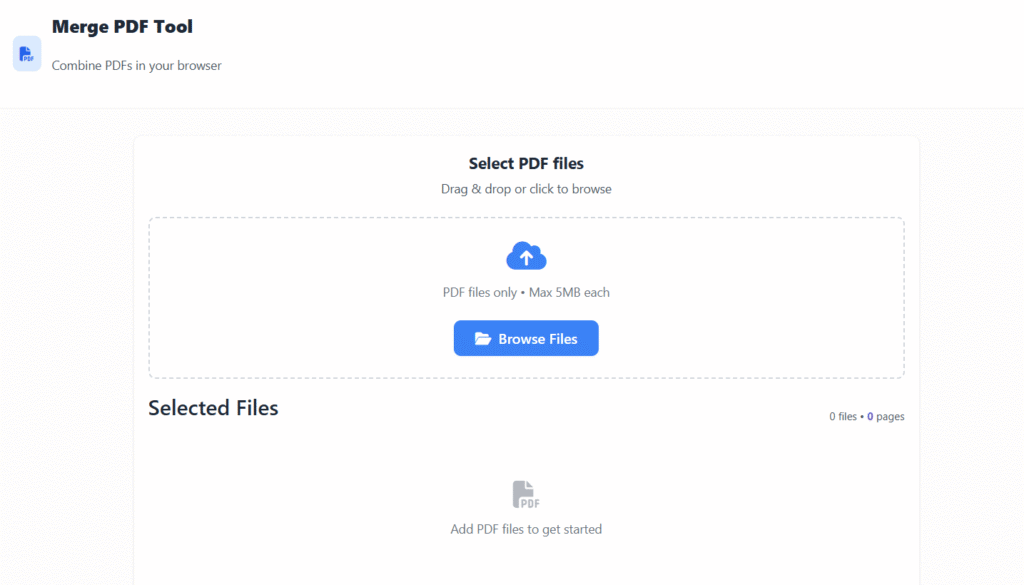
Online PDF Merging Tools Explained 🌐
Online PDF merging tools work through a browser. You upload your PDFs, reorder them, and download the merged file.
✅ Advantages of Online PDF Merging
- No installation required
- Works on any device (PC, mobile, tablet)
- Very fast for small files
- Easy for beginners
❌ Disadvantages of Online PDF Merging
- Files are uploaded to third-party servers
- Privacy policies vary by provider
- Requires a stable internet connection
- Limited control over encryption
Best Use Cases for Online PDF Tools
Online merging is ideal when:
- Files are non-confidential
- You need a quick one-time merge
- You’re using a shared or public device
- File sizes are small
For everyday tasks like resumes, assignments, or public documents, online tools offer unmatched convenience.
Offline PDF Merging Tools Explained 💻
Offline PDF merging uses software installed on your device. Files never leave your system unless you choose to share them.
✅ Advantages of Offline PDF Merging
- Maximum data privacy
- No internet required
- Better for large or batch files
- Advanced features like encryption
❌ Disadvantages of Offline PDF Merging
- Requires installation
- Some tools are paid
- Uses local system resources
Best Use Cases for Offline Tools
Offline merging is best when:
- Handling sensitive documents
- Working with legal, medical, or financial files
- Merging large PDFs
- Internet access is limited
If privacy is your priority, offline tools clearly stand out.
Security Comparison: Online vs Offline PDF Merging 🔐
Security is the biggest deciding factor for most users.
Key Security Differences
| Security Aspect | Online Tools | Offline Tools |
|---|---|---|
| File Upload Required | Yes | No |
| Data Exposure Risk | Moderate | Very Low |
| Encryption Control | Limited | Full |
| Compliance Friendly | Varies | High |
What This Means
When you merge PDF files online vs offline safely, offline tools offer more control. Your documents never pass through external servers, reducing the risk of leaks or unauthorized access.
For confidential information, offline merging is the safer choice in 2026.
Speed Comparison: Which Option Is Faster? ⚡
Speed depends on more than just the tool—it also depends on file size and internet quality.
Online Tools Are Faster When:
- Files are small
- Internet speed is high
- Only one or two PDFs are merged
Offline Tools Are Faster When:
- Files are large
- Multiple PDFs are merged at once
- Internet speed is slow or unstable
Verdict on Speed
- Quick tasks: Online tools
- Heavy workloads: Offline tools
Speed is situational, not absolute.
Privacy & Compliance Considerations 📑
In 2026, data protection laws are stricter than ever.
Online Tools May:
- Temporarily store files
- Log metadata
- Use third-party servers in unknown regions
Offline Tools:
- Keep files fully local
- Make compliance easier
- Reduce third-party dependency
For businesses and professionals, offline PDF merging aligns better with privacy regulations.
Online vs Offline PDF Merging: Quick Decision Guide
Choose Online PDF Merging if:
- Documents are not sensitive
- You want speed and convenience
- You rarely merge PDFs
Choose Offline PDF Merging if:
- Privacy matters
- Files contain personal data
- You merge PDFs frequently
This simple rule helps most users decide instantly.
Common Myths About PDF Merging ❌
Myth 1: Online PDF tools are always unsafe
Not true. Many reputable tools use encryption and auto-delete files.
Myth 2: Offline tools are too complex
Modern software is user-friendly and intuitive.
Myth 3: Free tools compromise quality
Quality depends on the tool, not the price.
Understanding these myths helps users make informed choices.
Best Practices to Merge PDFs Safely ✅
No matter which method you choose, follow these tips:
- Avoid unknown or suspicious tools
- Read privacy policies briefly
- Use antivirus software
- Encrypt sensitive PDFs
- Delete temporary files
Safe habits matter as much as the tool itself.
How Google Evaluates PDF Tool Content (Why This Matters)
Google prioritizes content that:
- Helps users make informed decisions
- Explains risks transparently
- Avoids exaggerated claims
- Demonstrates expertise
This is why understanding whether to merge PDF files online vs offline safely is valuable, not just technical.
Call-to-Action (Soft & Informational)
You can now apply these insights to choose the safest and fastest way to merge your PDF files based on your needs and privacy requirements.
FAQs (Short, Featured-Snippet Friendly)
Is it safe to merge PDF files online in 2026?
Yes, for non-sensitive files. However, offline tools are safer for confidential documents.
Which is faster: online or offline PDF merging?
Online tools are faster for small files, while offline tools perform better for large or multiple PDFs.
Do online PDF tools store my files?
Some store files temporarily. Always check the privacy policy before uploading.
Are offline PDF tools worth installing?
Yes, especially if you handle private or large documents frequently.
Can I merge PDFs without internet access?
Yes, offline PDF merging tools work without an internet connection.
Final Verdict: Online vs Offline PDF Merging in 2026 🏁
There is no one-size-fits-all answer.
- Best for convenience: Online tools
- Best for privacy: Offline tools
- Best overall: Depends on your document type
Understanding the trade-offs helps you work smarter and safer.
About the Author 👤
About the Author
This article was written by a digital content specialist with experience in image optimization, file formats, and document workflows. The goal is to provide practical, accurate guidance for everyday users.
Disclaimer
This guide is for educational purposes only. Tool availability and features may change over time.