
Introduction: Why File Format Choices Matter More Than You Think
In today’s digital workspace, information moves fast — but only when it’s in the right format. Many businesses rely on structured data like XML to power systems, automate processes, and exchange information between platforms. While XML is excellent for machines, it’s often difficult for humans to read, review, or share efficiently.
That’s where converting XML to PDF becomes a powerful workflow upgrade.
PDFs offer a consistent, secure, and universally readable format that improves collaboration, compliance, and productivity. Whether you’re handling invoices, reports, API exports, or system logs, converting structured data into a polished document can eliminate friction and save time.
In this guide, you’ll learn why XML-to-PDF conversion improves workflows, when it makes sense to use it, and how to do it efficiently—without overcomplicating your process.
What Is XML and Why Is It Widely Used?
XML (Extensible Markup Language) is a structured data format designed to store and transport information in a readable, machine-friendly way.
Common Uses of XML
- API responses
- Data exchange between systems
- Configuration files
- Financial and enterprise records
- Web services and feeds
XML excels at organization and accuracy, but it’s not built for human readability.
The Core Limitation of XML
While powerful, XML has drawbacks:
- Difficult for non-technical users to interpret
- Requires special viewers or browsers
- Not visually formatted
- Poor for sharing with clients or teams
This is where workflow friction begins.
Why PDF Is the Preferred Format for Human Workflows
PDF (Portable Document Format) is designed for consistency, accessibility, and long-term use.
Key Advantages of PDF
- Displays identically across devices
- Maintains layout and formatting
- Supports encryption and permissions
- Ideal for printing and sharing
- Recognized as a long-term archival format
When you convert XML into PDF, you bridge the gap between structured data and human usability.
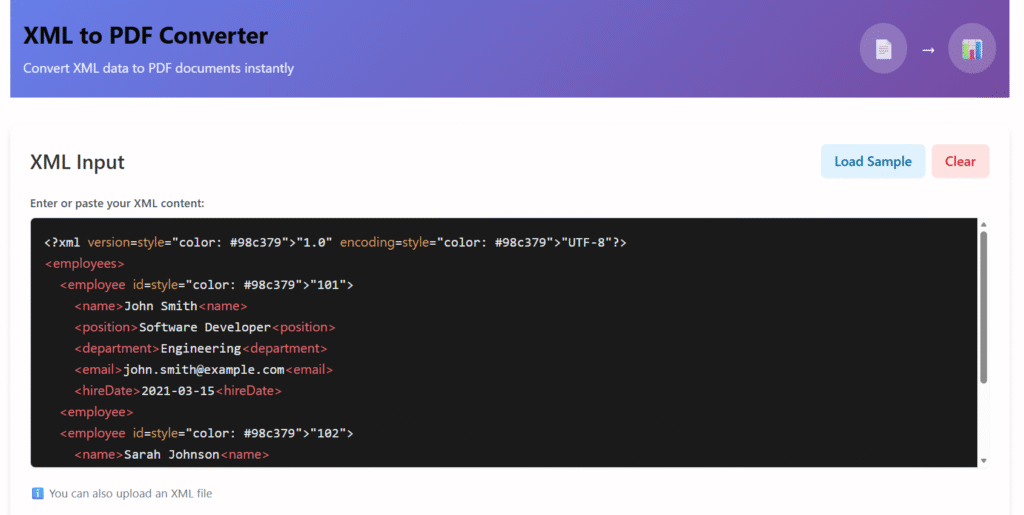
How Converting XML to PDF Improves Your Workflow
1. Improves Readability and Accessibility
XML is functional—but not friendly. PDF transforms raw data into a clean, structured layout with headings, tables, and spacing.
Benefits include:
- Easier reviews by non-technical users
- Faster decision-making
- Reduced misinterpretation
This is especially valuable in finance, healthcare, and legal workflows.
2. Enhances Collaboration Across Teams
Not everyone on a team understands XML syntax. PDFs remove that barrier.
With PDF:
- Anyone can open the file without tools
- Feedback becomes faster
- Files can be annotated or commented
This improves cross-team communication significantly.
3. Strengthens Data Security and Compliance
PDFs support:
- Password protection
- Access permissions
- Digital signatures
- Redaction
This makes them ideal for sensitive or regulated data, unlike raw XML files that expose structure and values directly.
4. Supports Automation and Scalable Workflows
Many organizations automate XML-to-PDF conversion using templates or APIs.
Examples include:
- Auto-generating invoices
- Creating reports from APIs
- Producing compliance documents
Once set up, this workflow reduces manual labor and human error.
5. Improves Archiving and Record Management
PDF is an ISO-standardized format, ideal for long-term storage.
Benefits:
- Files remain readable for decades
- Widely accepted by governments and enterprises
- Easier indexing and retrieval
This makes it perfect for audits and compliance.
Common Use Cases for XML to PDF Conversion
Here’s where XML-to-PDF workflows shine:
- Invoices and billing statements
- Healthcare records
- Government documentation
- Financial reports
- E-commerce order summaries
- Data exports from APIs
Each use case benefits from clarity, consistency, and accessibility.
How to Convert XML to PDF (Overview)
1. Manual Conversion Tools
Best for occasional use:
- Online converters
- Desktop software
Pros: Easy to use
Cons: Limited customization, privacy concerns
2. Automated Conversion Solutions
Ideal for businesses and developers:
- Server-side scripts
- API-based tools
- XML + XSLT → PDF pipelines
These allow structured styling and large-scale automation.
Best Practices for High-Quality XML to PDF Output
To get the most from your workflow:
- Use clean XML structure
- Apply XSLT for formatting
- Maintain metadata
- Optimize for readability
- Ensure mobile-friendly layouts
Good structure ensures consistent, professional results.
SEO & Business Benefits of Using PDFs
PDFs can rank in Google search when optimized correctly.
SEO Advantages:
- Indexable text
- Searchable metadata
- Rich snippet potential
Business Benefits:
- Improved credibility
- Better branding
- Professional presentation
Common Mistakes to Avoid
Avoid these pitfalls when converting XML to PDF:
- Poor formatting or spacing
- Overloading documents with data
- Ignoring accessibility
- Using images instead of selectable text
Clean design always performs better.
Why Converting XML to PDF Is a Smart Workflow Upgrade
When systems and people need to collaborate, format matters. Converting XML to PDF bridges the gap between machine-readable data and human usability.
It improves clarity, security, and efficiency—without disrupting existing systems.
If your workflow involves structured data, this simple step can dramatically improve productivity.
FAQs
Q1: Is converting XML to PDF secure?
Yes. PDFs can be encrypted, password-protected, and restricted for access or editing.
Q2: Can PDFs be generated automatically from XML?
Yes. Many tools and APIs allow automated conversion using templates.
Q3: Does converting XML to PDF change the data?
No. It only changes presentation, not the underlying data.
Q4: Are PDFs suitable for long-term storage?
Yes. PDF/A is designed specifically for long-term archiving.
Call to Action
You can now apply these steps to convert your XML files safely and efficiently, improving readability, collaboration, and workflow performance.
About the Author
This article was written by a digital content specialist with experience in image optimization, file formats, and document workflows. The goal is to provide practical, accurate guidance for everyday users.
Disclaimer
This guide is for educational purposes only. Tool availability and features may change over time.