
Introduction
PDFs are everywhere — invoices, reports, resumes, contracts, and research papers. While they are excellent for sharing information, they are not designed for easy editing or analysis.
That’s where the ability to extract data from PDFs becomes essential.
Manually copying text from documents wastes time, introduces errors, and limits productivity. Fortunately, modern PDF to text tools make it possible to extract content quickly, accurately, and at scale.
In this guide, you’ll learn how PDF data extraction works, why it matters, and how to choose the right tools for your workflow — all explained in a clear, beginner-friendly way.
Why Extracting Data from PDFs Is Often Difficult
PDFs look simple on the surface, but technically they’re complex. Understanding the challenges helps explain why extraction tools matter.
Common Challenges with PDFs
- Fixed layout design
PDFs preserve layout, not structure. Text isn’t always stored in logical reading order. - Scanned documents
Many PDFs are just images, not real text. - Tables and multi-column layouts
Data often breaks when copied manually. - Font encoding issues
Characters may not map correctly, leading to errors.
These issues make manual extraction slow and unreliable.
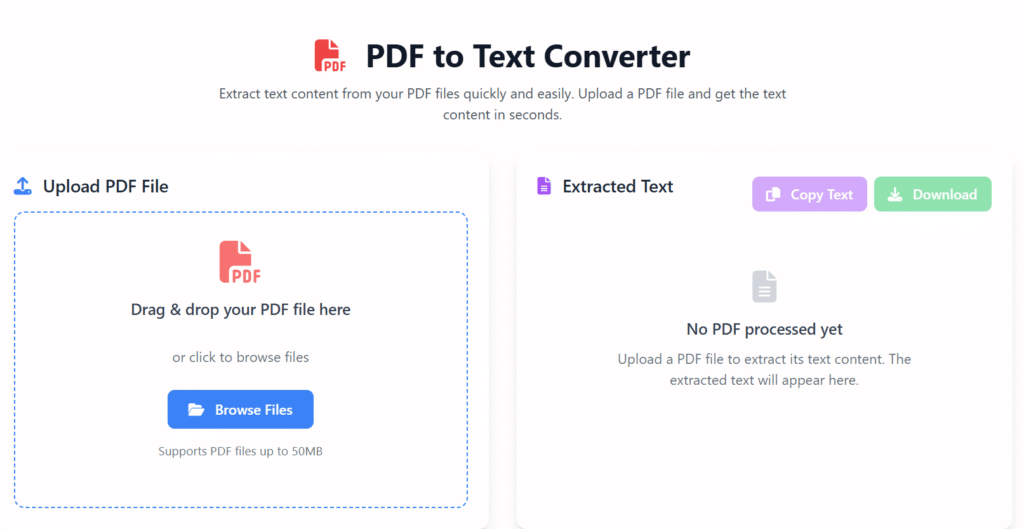
What Are PDF to Text Tools?
PDF to text tools are software solutions that convert PDF content into editable text formats such as TXT, DOCX, CSV, or JSON.
They help users turn static documents into usable data without manual effort.
How PDF to Text Conversion Works
There are two main approaches:
1. Text-Based Extraction
Used for digital PDFs where text already exists.
- Fast and highly accurate
- Preserves formatting when possible
2. OCR (Optical Character Recognition)
Used for scanned or image-based PDFs.
- Detects characters visually
- Converts images into readable text
- Modern tools use AI for better accuracy
Key Benefits of Using PDF to Text Tools
1. Save Time Through Automation ⏱️
- Process large files in seconds
- Extract multiple PDFs at once
- Reduce repetitive manual work
2. Improve Data Accuracy
- Minimize copy-paste mistakes
- Maintain consistent formatting
- Extract structured outputs like tables
3. Enable Search & Analysis
- Turn static PDFs into searchable content
- Analyze data using spreadsheets or databases
- Improve document accessibility
4. Scale Business Workflows
PDF extraction is useful across industries:
- Accounting and finance
- Legal documentation
- Healthcare records
- Research and education
- HR and recruitment
Step-by-Step: How to Extract Data from PDFs
This simple process works for most tools and platforms.
- Upload your PDF file
Choose a local file or cloud document. - Select extraction type
Text-based or OCR (for scanned files). - Choose output format
TXT, DOCX, CSV, or structured data. - Review extracted content
Check formatting and accuracy. - Download or export
Save your extracted data for reuse.
💡 You can now apply these steps to convert your documents safely and efficiently.
Best Use Cases for PDF Data Extraction
📄 Invoices & Receipts
Automate expense tracking and accounting workflows.
📑 Contracts & Legal Files
Search clauses and copy sections quickly.
📊 Reports & Research Papers
Extract statistics, citations, and tables.
🏦 Financial Statements
Convert data into spreadsheets for analysis.
👔 Resumes & HR Documents
Organize candidate information efficiently.
How to Choose the Right PDF to Text Tool
Not all tools are equal. Here’s what to look for.
Key Features to Consider
- High OCR accuracy
- Multi-language support
- Batch processing
- Secure file handling
- Export options (TXT, CSV, DOCX)
- API access (for automation)
Free vs Paid Tools
Free tools are ideal for:
- Occasional use
- Small files
- Simple text extraction
Paid tools work better for:
- Large volumes
- Complex layouts
- Business automation
Common Mistakes to Avoid
- Using OCR on text-based PDFs unnecessarily
- Ignoring formatting validation
- Skipping proofreading
- Uploading sensitive files to unsecured platforms
Avoiding these mistakes improves accuracy and security.
The Future of PDF Data Extraction
Modern tools are evolving fast.
Emerging Trends
- AI-powered layout detection
- Context-aware extraction
- Automated workflows with RPA tools
- Integration with cloud platforms
As AI improves, extracting data from PDFs will become faster and more reliable than ever.
FAQs: Extract Data from PDFs
Q1: What is the best way to extract data from PDFs?
Using a PDF to text tool with OCR support provides the most accurate results.
Q2: Can I extract tables from PDFs automatically?
Yes, many tools can detect and export tables into spreadsheets.
Q3: Is PDF data extraction safe?
Yes, if you use secure, reputable tools and avoid uploading sensitive data unnecessarily.
Q4: Do I need OCR for all PDFs?
No. OCR is only required for scanned or image-based documents.
Q5: Can I extract data from PDFs on mobile?
Some online tools support mobile uploads, but desktop tools are usually more accurate.
Final Thoughts: Why PDF Data Extraction Matters
The ability to extract data from PDFs saves time, reduces errors, and improves productivity across industries. Whether you’re handling reports, invoices, or research documents, modern tools make the process efficient and accessible.
With the right approach, you can turn static documents into actionable data — without technical expertise.
About the Author
This article was written by a digital content specialist with experience in image optimization, file formats, and document workflows. The goal is to provide practical, accurate guidance for everyday users.
Disclaimer
This guide is for educational purposes only. Tool availability and features may change over time.